

If Read.ai isn’t fitting your workflow – maybe the transcripts need more accuracy, the summaries feel too generic, or your team needs deeper integrations – you’ve got plenty of strong options. Today’s AI meeting tools go beyond basic transcription: they can auto-generate agendas, highlight decisions, capture action items, and sync everything to your CRM or project manager. In this guide, we’ll compare the best Read.ai alternatives for meeting notes, transcription, and summaries, so you can quickly find the tool that matches how you run meetings.
Quick overview of Top Read.ai Alternatives
- FuseBase: bot-free + branded mini-rooms with AI follow-through
- tl;dv: researcher-first tagging and trend analysis
- MeetGeek: organized library with summaries and sentiment/engagement insights
- Avoma: cross-functional AI notes with action items and snippet playlists
- Supernormal: template-driven notes and automatic task handoffs
- Fireflies.ai: budget-friendly recorder with multilingual transcripts and collaborative soundbites
What is Read.ai?
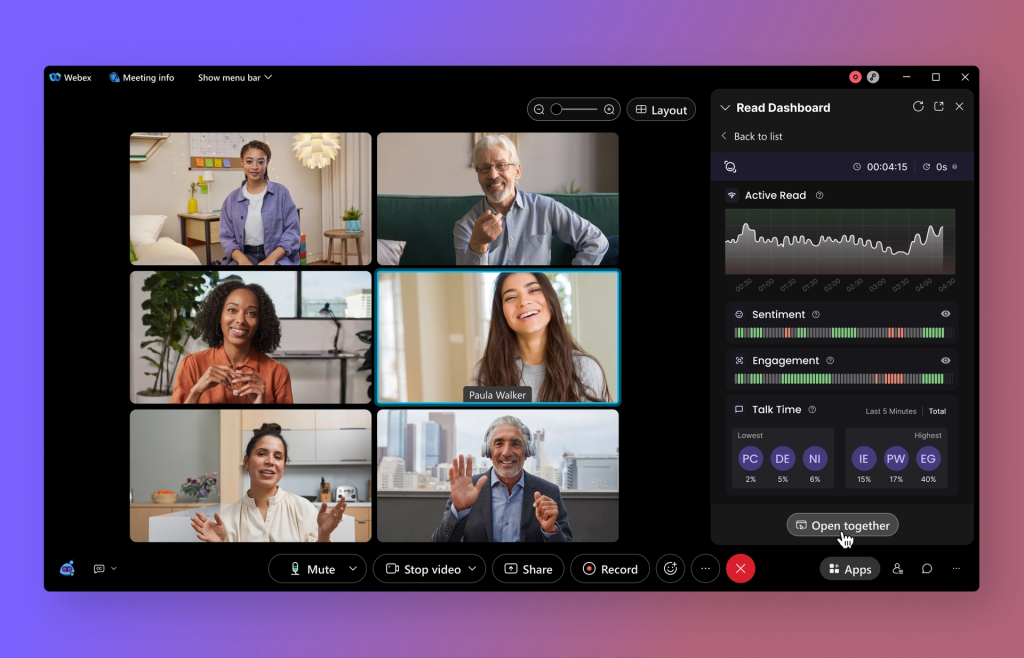
Read.ai is an AI meeting assistant built for automatic note-taking, smart summaries, and in-meeting collaboration. It transcribes calls and layers on Transcription 2.0 with sentiment and audience reactions, speaker performance metrics, and coaching tailored to how you talk. The product’s Search Copilot lets you query across meetings, emails, and documents in natural language, so teams can instantly pull decisions, follow ups, or context without digging. In practice, you get AI-powered meeting summaries, searchable notes, and real-time insights that help surface who said what, what was agreed, and what needs to happen next.
The sweet spot is larger teams and cross-functional orgs that value analytics and information access. Read’s meeting insights dashboard highlights engagement and performance patterns, and its cross-team search unifies content across tools to reduce silos. It’s especially useful when you need real-time feedback, speaker coaching, and consistent summaries across platforms. If your priority is enterprise-grade visibility across conversations with deep analytics and search, Read.ai stands out. If you need more control over how and when a bot joins, or want a generous free tier for team trials, the tradeoffs may matter.
Read.ai Limitations and Drawbacks
Teams report friction with Read.ai’s bot behavior, permissions model, and paywall design, which together make testing and governance harder than it should be.
- Invasive bot behavior – The bot can auto-attach to calendars and join meetings uninvited, and may keep showing up even after you try to deactivate or remove it.
- Hard to remove – Fully disconnecting the bot from meetings can be tricky, creating IT overhead and trust issues with internal and client stakeholders.
- Privacy and compliance risk – Sentiment analysis and expansive permissions raise GDPR and data governance concerns for security-minded orgs.
- Fluffy metrics, thin value – Features like a charisma score look flashy but don’t translate to operational impact or revenue outcomes.
- Paywalled essentials – Key capabilities, including video playback and more advanced functionality, are often gated behind expensive enterprise tiers.
- Weak free tier for teams – The free plan is too limited for realistic pilots at scale, forcing upgrades before proving value.
6 Best Read.ai Alternatives
1. FuseBase
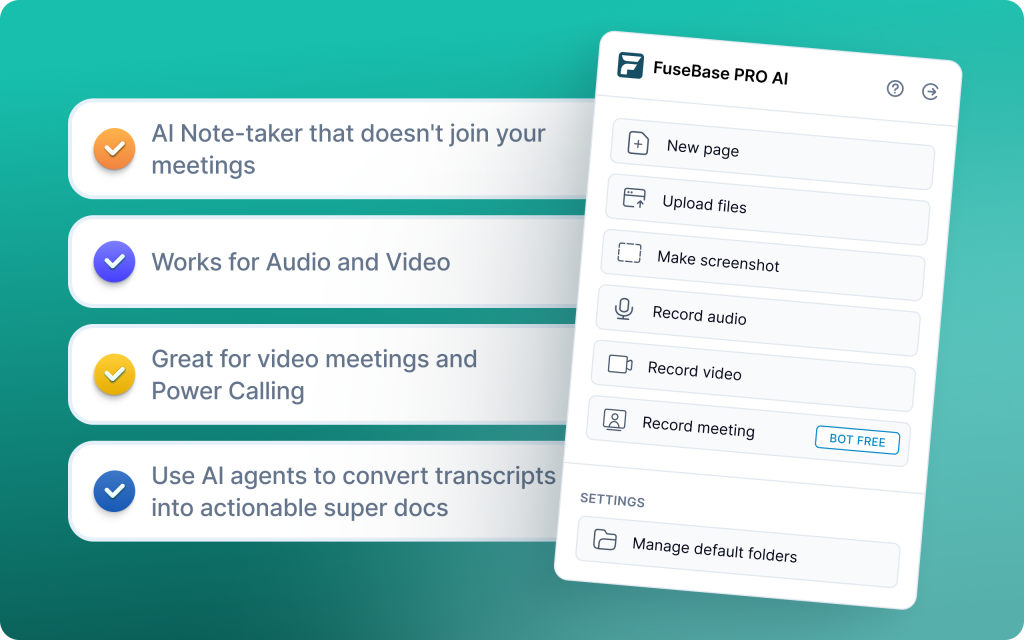
FuseBase is a bot-free AI meeting recorder and smart workspace. It turns every Zoom, Teams, or Meet call into a shareable mini-room with a branded recap, files, and next steps. AI agents watch calls for risks, opportunities, and follow-ups, then turn those signals into real actions, tasks, and trackers across your workflows. Client-ready on the outside, operationally rigorous on the inside.
Core features:
- Internal vs external views: clean client recap while risks and coaching stay private
- Dashboards and AI agents that auto-create tasks, populate trackers, and trigger follow-ups
- Mini-rooms per meeting with recap, decisions, next steps, and attached assets
- White-label sharing by default on your domain with your logo and colors
- Trackers for real revenue signals like scope creep, no next meeting, budget gaps, renewal risk
Limitations:
- Overkill for solo users needing a personal scratchpad
- Less focused on pure notetaking than dedicated minimal tools
Use-cases:
- Agencies and consultancies that need client-ready rooms and automated follow-through
- B2B SaaS sales and CS teams standardizing discovery, demos, QBRs, and renewals
- Partner-led onboarding where external stakeholders need a branded, persistent hub
- Professional services tracking SOW creep, risk signals, and next steps across accounts
2. tl;dv
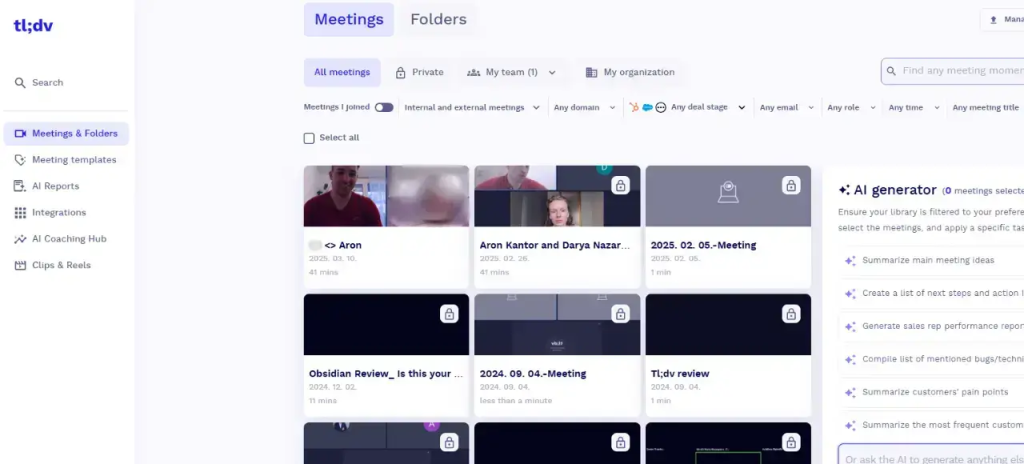
tl;dv is a researcher-first AI notetaker that records across Zoom, Google Meet, and Microsoft Teams, transcribes, and turns interviews and workshops into structured insights. Built for product and research teams, it adds fast tagging, team libraries, and multi-meeting analysis so you can capture key moments, spot patterns, and ship decisions without sifting through full recordings.
Core features:
- Cross-platform recording and transcripts with researcher-grade tagging and highlights
- Team libraries to organize interviews, user calls, and workshops for easy reuse
- Multi-meeting intelligence that identifies trends and delivers digest reports to your inbox
- Workflow helpers like CRM auto-updates, drafted follow-up emails, and coaching insights
Limitations:
- Some advanced integrations and AI features are paywalled
- Less CRM workflow focus than other tools
- Limited conversation intelligence (no robust talk-pattern trends, sentiment, or AI scoring)
Use-cases:
- Product discovery and UX research with frequent interviews that need consistent tagging and sharing
- Research repositories that centralize insights and make past calls searchable by theme
- Cross-functional workshops where highlights, clips, and recap emails keep stakeholders aligned
- Teams needing trend analysis across multiple sessions to inform roadmaps and prioritization
3. MeetGeek
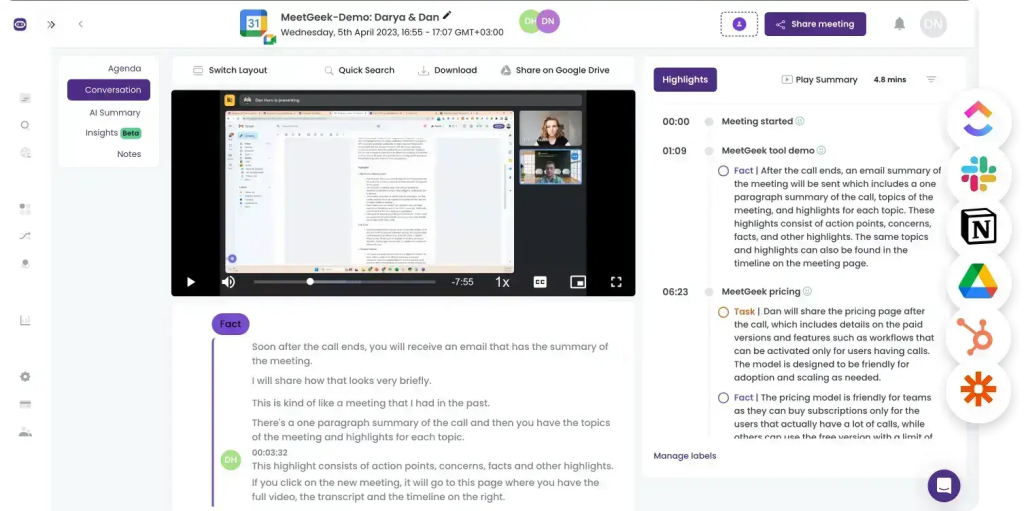
MeetGeek is a tidy AI meeting assistant that records, transcribes, and summarizes online and offline meetings, then syncs notes and action items into your CRM and collaboration stack. It stores every call in a searchable library and adds analytics like sentiment, engagement, and agenda adherence, so teams can capture decisions, spot trends, and follow through without scrubbing full recordings.
Core features:
- AI summaries tailored to meeting type with extracted action items, feature requests, and pain points
- Searchable call library with video, timestamps, highlights, and custom tags by team or meeting type
- Conversation insights and analytics, including sentiment, speaker distribution, and engagement levels
- 2,000+ integrations including HubSpot, Slack, and Google Calendar, plus templates and folders for structure
- Multilingual transcription in 20+ languages with support for pre-recorded file uploads
Limitations:
- Transcription accuracy can struggle with heavy accents, jargon, or niche terminology
- Inflexible bot controls – auto-joins by default unless settings are manually disabled
- No AI copilot for on-demand answers across meetings, and slow syncing of new meetings
Use-cases:
- Product and CS teams that want organized summaries, highlights, and a searchable meeting library
- Sales and onboarding teams needing timestamped recordings and action items pushed to work apps
- Ops leaders tracking sentiment, engagement, and agenda adherence to improve meeting hygiene
- Teams consolidating online and offline meeting notes into one structured, shareable repository
4. Avoma
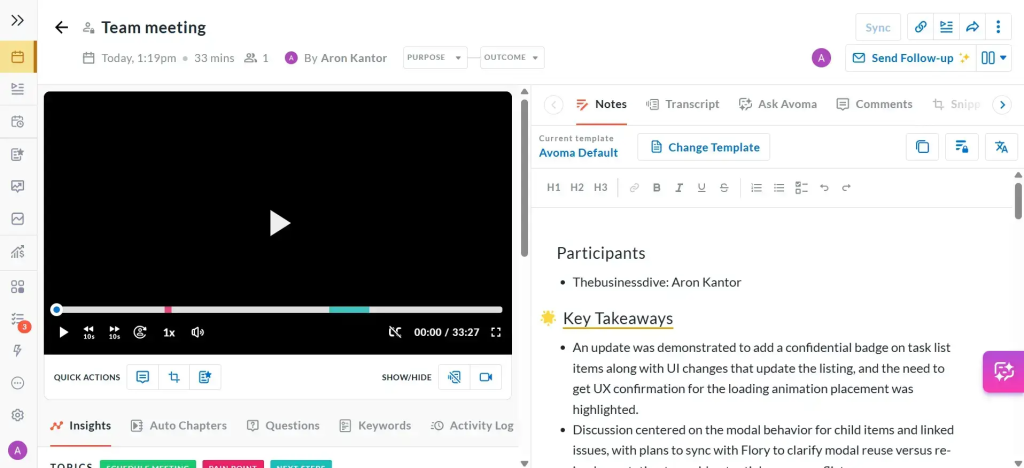
Avoma is a comprehensive meeting assistant for cross-functional teams that need reliable transcription, AI notes, and clear follow-through without the weight of enterprise revenue forecasting. It auto-extracts action items, flags objections, highlights positive moments, and organizes conversations by speaker and topic. With shared agendas tied to transcripts and snippet playlists, teams get a clean planned vs discussed view and fast handoffs to Slack, CRM, and docs.
Core features:
- Automated transcription with AI-generated notes, topic detection, and speaker attribution
- Automatic summarization and categorization of key moments, including objections and positives
- Shared agenda templates that sync with transcripts for a unified planned vs discussed view
- Snippet playlists to review and share call highlights quickly across teams
- Flexible exports to Slack, CRM, and internal docs, plus trend analytics across meetings
Limitations:
- Light revenue intelligence compared to other platforms: basic objection flags, limited deal-risk depth
- Minimal coaching tools: focuses on summaries and follow-ups more than structured rep improvement
Use-cases:
- Sales, success, and product teams standardizing summaries, action items, and fast sharing to tools
- CS and onboarding teams tracking recurring topics and improving follow-through across accounts
- Product and PM groups organizing insights via snippets and topic categorization for roadmap input
- RevOps centralizing planned vs discussed alignment and meeting trend analytics without heavy CI overhead
5. Supernormal
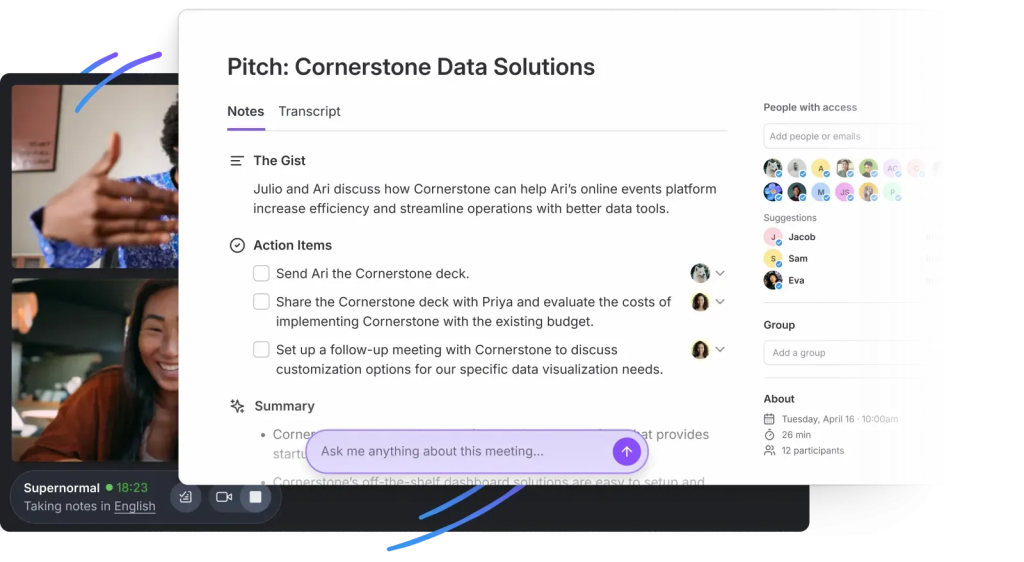
Supernormal focuses on structured documentation and action routing. It records and transcribes Zoom, Google Meet, and Microsoft Teams, then generates notes that match your team’s process using customizable templates. Action items are detected and pushed straight into your CRM and project tools, while a real-time AI assistant helps clarify points and surface highlights on demand.
Core features:
- Customizable note templates by meeting type for consistent, process-aligned outputs
- Action item detection with automatic assignment into Salesforce, HubSpot, Asana, Trello, Notion, Slack, and more
- Real-time AI assistant for in-call queries, clarifications, and instant highlights
- 60+ language support with centralized library and topic/group-based organization
Limitations:
- Some integrations and advanced features sit behind higher-tier plans
- Language support can be inconsistent across platforms and settings
Use-cases:
- Sales and client teams that want template-driven notes and automatic task handoffs to CRM/PM tools
- Project leads standardizing discovery, status, and review meetings with consistent, shareable outputs
- CS teams capturing decisions and next steps, then syncing follow-ups to their daily stack
- Orgs needing a central library with topic-based organization for fast retrieval and enablement
6. Fireflies.ai
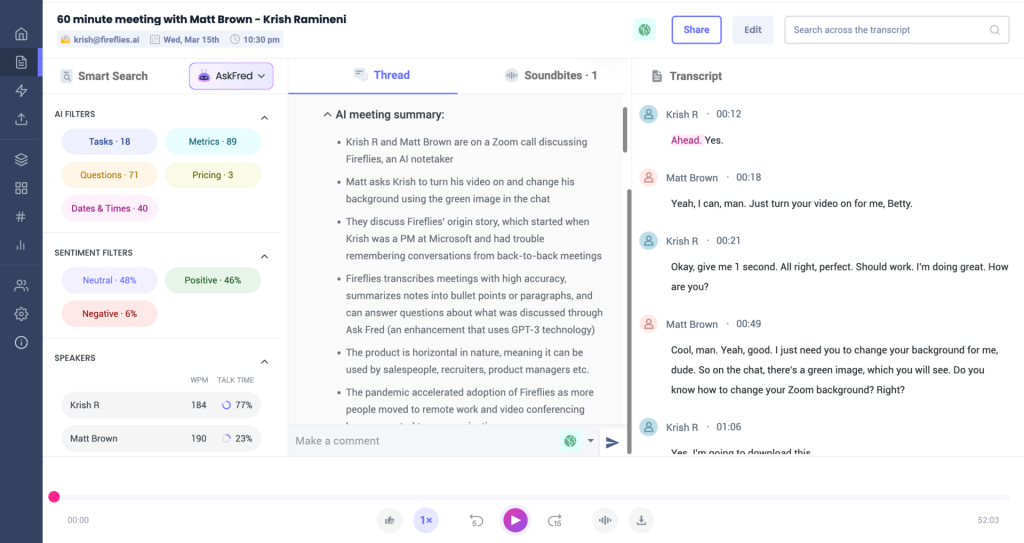
Fireflies.ai is a popular meeting recorder and notetaker that auto-joins Zoom, Google Meet, Microsoft Teams, and most dialers to record, transcribe, and generate clean summaries. Teams can collaborate inside transcripts with comments, pins, and soundbites, while multilingual support and generous starter storage make it an easy, budget-friendly way to capture and share calls at scale.
Core features:
- Auto-join recording and AI summaries with customizable structure and action items
- Multilingual transcription in 40+ languages with speaker IDs and click-to-play audio
- Generous free tier with roughly 800 minutes storage plus 3 file uploads
- In-transcript collaboration: comments, pins, bookmarks, and shareable soundbites, with broad integrations on paid plans
Limitations:
- Video recording available only on Pro and above
- Bot can take time to join meetings, causing occasional capture delays
Use-cases:
- Budget-conscious teams needing reliable AI notes across multiple meeting platforms
- Global teams requiring multilingual transcription and speaker attribution
- Ops and enablement sharing highlights via soundbites without combing full recordings
- SMBs standardizing summaries and follow-ups with simple, low-lift setup
Summary: Choosing the Best Read.ai Alternatives
The “best” Read.ai Alternatives depend less on who has the most features and more on what you need your meetings to produce afterward: searchable transcripts, reliable summaries, action items, or polished outputs you can share with clients. When comparing tools, prioritize transcription accuracy, summary quality, action item capture, integrations, and how easily your team can reuse the notes.
- FuseBase – Best for turning meetings into client-ready deliverables (recaps, files, next steps) in a shared, branded workspace.
- tl;dv – Best for research-heavy workflows with highlights, timestamps, and easy sharing of key moments.
- MeetGeek – Best for automated meeting recaps with clear structure, action items, and follow-ups.
- Avoma – Best for sales and customer-facing teams that want notes + coaching, templates, and workflow routing.
- Supernormal – Best for clean, structured notes that are easy to skim, standardize, and share across teams.
- Fireflies.ai – Best all-around Read.ai alternative with broad integrations and solid transcription + summaries.
A good rule: pick the tool that matches your “destination” (CRM, project tool, knowledge base, or client workspace), then run a 1-week pilot and compare how much manual editing you still have to do after each meeting.