

Meetings move fast – decisions get made, action items pop up, and then half of it disappears into someone’s notebook or a messy doc link. If Fellow isn’t fitting your workflow, budget, or team setup, the good news is you’ve got plenty of strong options.
In this guide, we’ll break down the best Fellow alternatives for meeting management and note-taking – tools that help you build better agendas, capture decisions in real time, assign tasks, and keep follow-ups from slipping through the cracks. Whether you want something simpler for quick notes or a more structured system for recurring team meetings, you’ll find a shortlist of top picks worth trying.
TL;DR – Top 6 Fellow Alternatives
- FuseBase: Collaborative workspaces, internal/external split, from transcript to workflow in one platform.
- Fireflies.ai: Automated transcripts, AI summaries, topic tracking, searchable meeting library.
- Granola: Personal note-first workflow, AI organizes notes into summaries, decisions, and action items.
- Avoma: AI notes + deeper conversation intelligence, action items, analytics, CRM/sales-friendly features.
- Read.ai: AI recaps + highlights, engagement/meeting analytics, searchable history.
- Otter.ai: Live transcription, automated summaries, speaker identification, fast search across meetings.
What is Fellow?
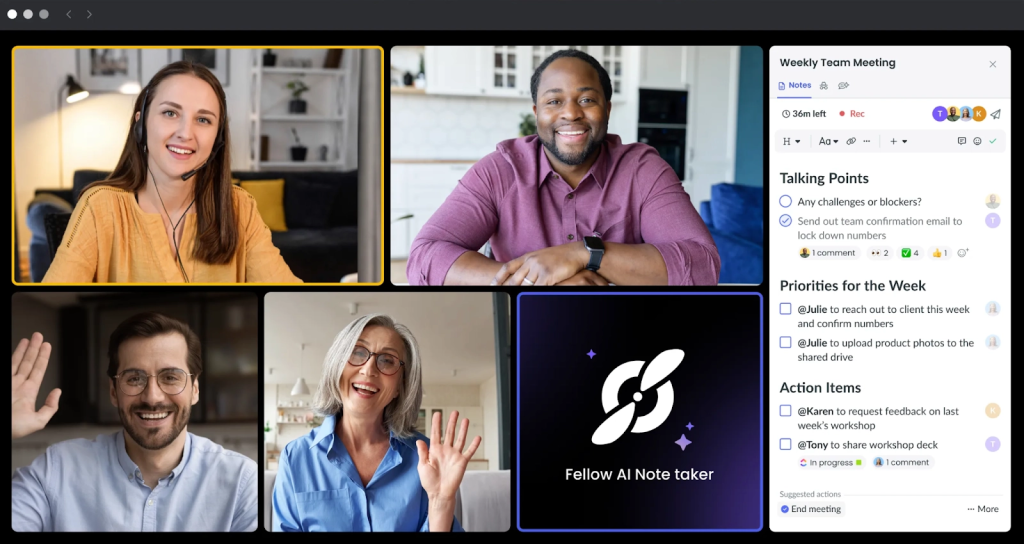
Fellow is a meeting management and productivity tool designed to make meetings more organized – and more actionable. It helps teams plan ahead with shared agendas, capture collaborative notes during the meeting, and turn outcomes into clear action items with owners and due dates. Fellow is commonly used for recurring meetings like 1:1s, team syncs, and project check-ins, where consistent structure matters. With templates and meeting series, teams can standardize how meetings run, track decisions over time, and keep everything searchable so context doesn’t get lost across weeks. In short, Fellow sits between a note-taking app and a lightweight execution layer: it’s built to help teams document what happened in a meeting and ensure the next steps don’t fall through the cracks.
Fellow Limitations
Fellow is a solid meeting management tool, but it won’t be the best fit for every team – especially if your goal is to connect meetings more tightly to daily execution and collaboration. Here are some common limitations that lead teams to explore Fellow alternatives:
- Meeting-first, workflow-second: Fellow is great for agendas and notes, but some teams want meeting outputs to flow more naturally into broader workflows across projects, docs, and deliverables.
- Action items can feel lightweight: If your team needs deeper task management (dependencies, views, automation, reporting), you may end up relying heavily on a separate project tool anyway.
- AI capabilities vary by need: Teams looking for more advanced AI features – like stronger summaries, cross-meeting search, or deeper insights – often find more specialized AI meeting assistants.
- Knowledge base depth: If you want meeting notes to become a full, structured knowledge system (wiki-style organization, databases, rich linking), a docs-first platform may fit better.
- External collaboration isn’t always ideal: For client-facing work or partner collaboration, some teams prefer tools built around shared workspaces rather than internal meeting management.
- Integrations can be a deciding factor: If your stack depends on specific tools (Slack/Teams, Jira, ClickUp, HubSpot, Salesforce, etc.), the “best” alternative may be the one that integrates most deeply with what you already use.
If any of these sound familiar, the alternatives in this guide can offer a better match – whether you need stronger execution, better AI meeting intelligence, or a more flexible collaboration workspace.
Top 6 Fellow.app Alternatives in 2026
1. FuseBase (best for client-ready recaps)
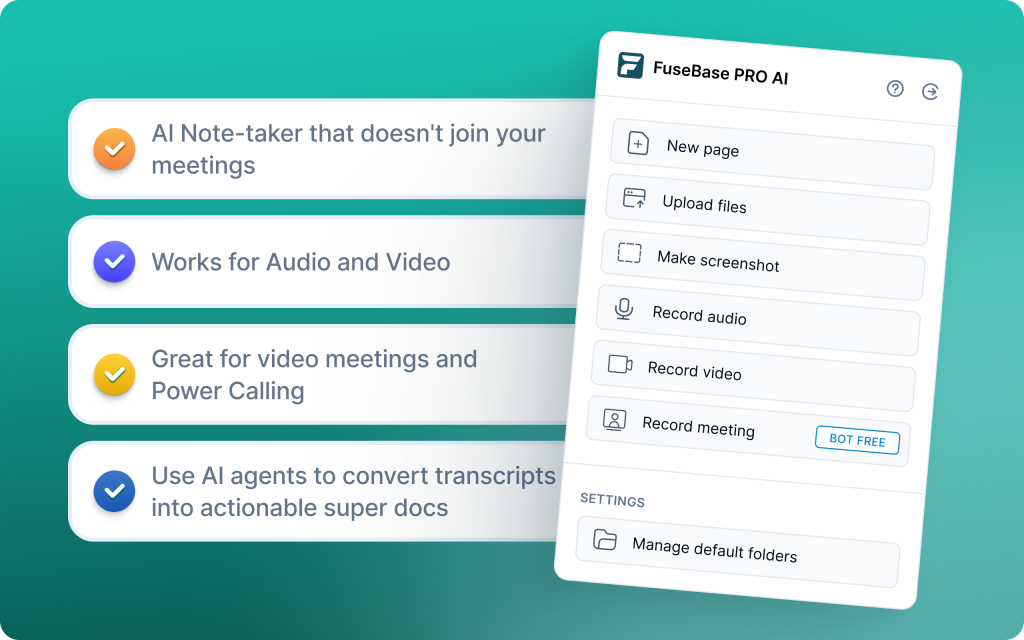
FuseBase is a bot-free AI meeting recorder and workspace that turns every Zoom, Teams, or Meet call into a shareable mini-room with recap, decisions, next steps, and supporting assets. Each meeting lives as a lightweight client/deal room under your brand and domain, so stakeholders land in a guided, premium space with context, files, and follow-ups, not a naked note page. The result: cleaner handoffs, less link-chasing, and a consistent, white-label experience across discovery, QBRs, onboarding, and delivery.
Beyond capture, FuseBase deploys AI agents that watch calls for risk, opportunities, and follow-ups, then convert those signals into real actions across your workflows. Dashboards highlight “calls with no next steps” and “accounts with rising risk,” while agents auto-create tasks, populate trackers, and trigger follow-ups so your team spends less time cleaning up and more time executing.
Why choose FuseBase
Pick FuseBase if you want mini-rooms per meeting (not links), branded by default, with deeper conversational intelligence that spots real business signals and turns them into tasks and trackers automatically. You get consistent client-ready recaps, internal-only insights, and automation that drives outcomes – from save-the-deal scheduling to scoped follow-ups – all in one workspace engineered for alignment and delivery at speed.
2. Fireflies.ai (best for searchable notes)
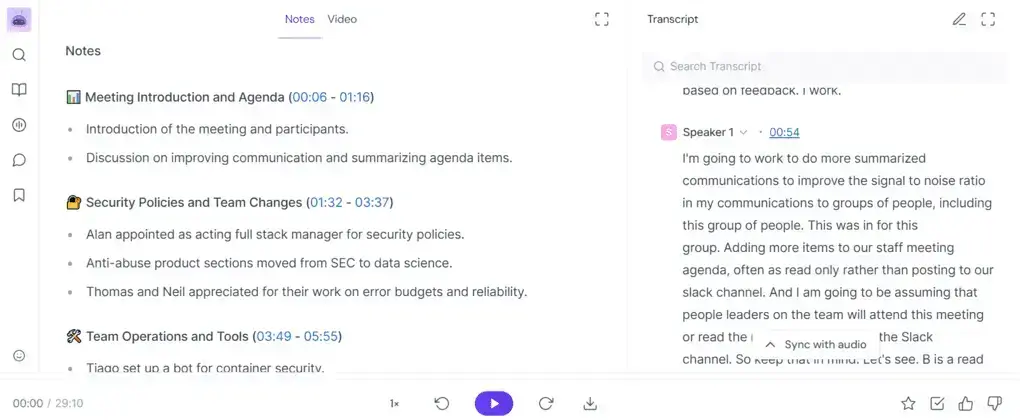
Fireflies.ai is a simple, affordable AI notetaker that focuses on fast capture and searchable records across Zoom, Teams, and Google Meet. It records and transcribes calls in 60+ languages with speaker IDs, auto-generates summaries, and logs key points into CRMs and connected apps. Teams get a searchable conversation library with tags, filters, comments, pins, and soundbites, plus file upload transcription and mobile apps for on-the-go review. It offers basic analytics and templates, but is not aimed at deep coaching or forecasting.
Why choose Fireflies.ai
Pick Fireflies if you want a low-friction, platform-agnostic rollout for org-wide meeting capture and documentation. It is quick to deploy, budget-friendly, and strong at building a searchable archive that integrates with CRMs and project tools, so notes and action points are easy to retrieve and share. If you need advanced coaching, forecasting, or nuanced summaries without human review, look elsewhere; if you need reliable transcription and fast handoffs with minimal setup, Fireflies is a solid choice.
3. Granola (best for private, actionable notes)
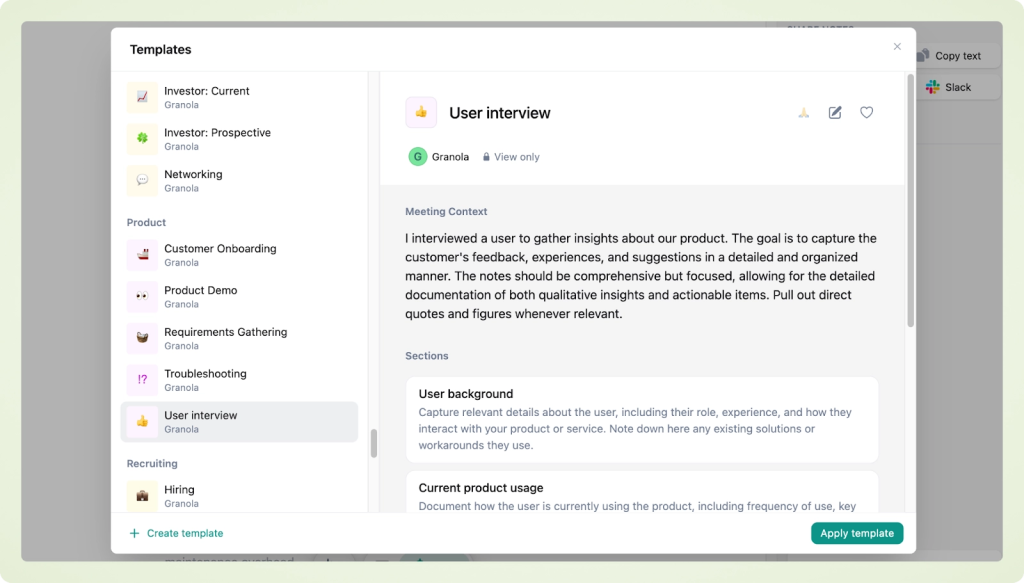
Granola is a lightweight, privacy-first, bot-free AI notepad that runs quietly on your device (Mac and now Windows). Instead of relying on full automated transcripts, it lets you take notes as usual and uses on-device AI to enhance, structure, and summarize them into clear takeaways and action items. With real-time note enhancement, customizable templates, calendar context, AI chat for quick answers, and team folders for shared knowledge, Granola delivers fast, private meeting documentation without bots or browser add-ons.
Why choose Granola
Pick Granola if you want effortless, bot-free capture with a familiar notepad experience and instant, structured summaries that respect privacy. It’s ideal for founders, consultants, and small teams who value speed and discretion, need actionable notes in real time, and prefer on-device enhancement over sending every call to the cloud – a clean, minimal alternative to calendar-first tools like Fellow when you want less ceremony and more focused outcomes.
4. Avoma (best for cross-functional meeting workflows)
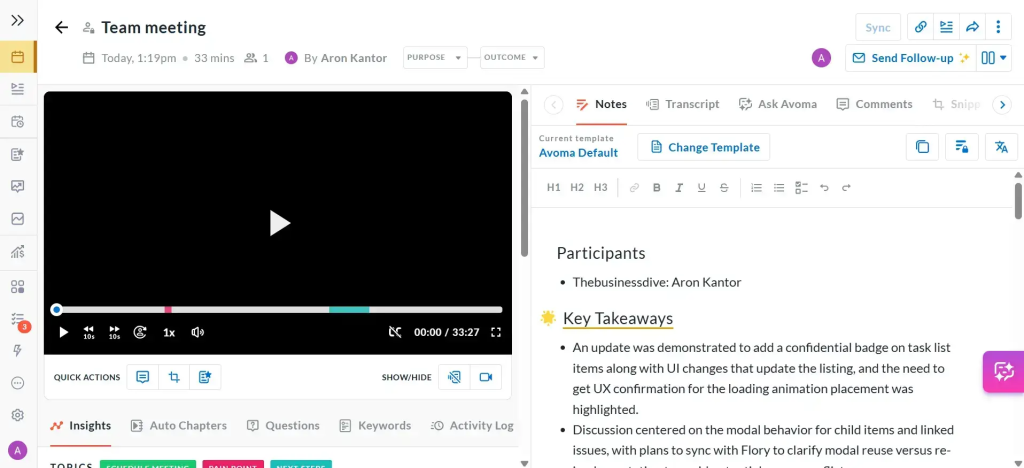
Avoma is an AI meeting assistant built for cross-functional teams that want end-to-end meeting workflows without heavyweight CI. It links agendas to transcripts in a single view, transcribes in real time across 40+ languages, and generates structured notes with clear action items and owners. Sales, CS, and product teams use Avoma to chapter conversations, collaborate via comments and highlights, and push summaries and tasks straight into Salesforce or HubSpot. With flexible sharing (Slack, CRM, docs), built-in scheduling (round-robin, group), and trend analytics across internal and external calls, Avoma centralizes meeting insights and keeps follow-ups moving.
Why choose Avoma
Pick Avoma if you want reliable, automated meeting management that connects planning, capture, and follow-through in one flow. You get agenda-to-transcript alignment, AI notes with action items, and CRM syncing that eliminates double entry, plus cross-team collaboration and trend views to spot patterns early. It’s a strong, easy-to-pilot choice for orgs that live in meetings and need faster handoffs and cleaner execution without adopting a full revenue intelligence platform.
5. Read.ai (best for enterprise meeting analytics)
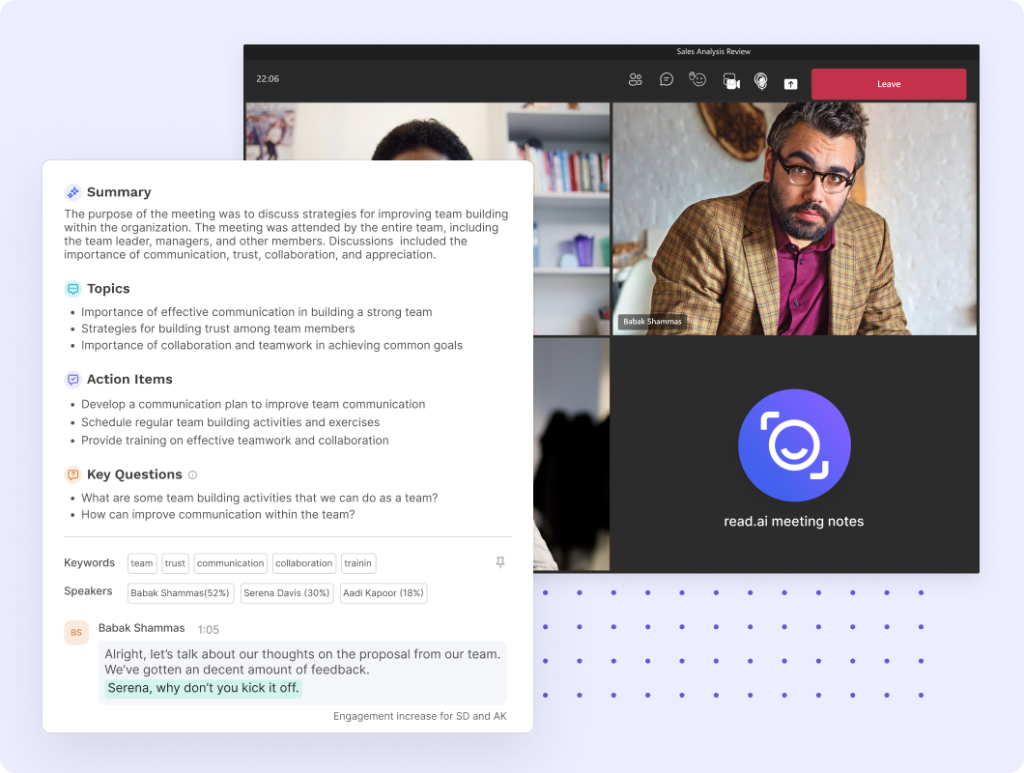
Read.ai is an enterprise-focused meeting intelligence platform that records Zoom, Teams, and Google Meet, generates real-time summaries and sentiment, and unifies conversations across apps. Its cross-team search and insights dashboard bridge silos by pulling answers from transcripts, emails, and chats, so leaders can spot bottlenecks and align decisions quickly. With Speaker Coach for live feedback on talk-time and clarity, playback with AI-marked highlights, and cross-platform summaries from Slack, Teams, Gmail, and Outlook, Read.ai gives large or cross-functional orgs an analytics-first way to run better meetings and keep work moving.
Why choose Read.ai
Choose Read.ai if you need meeting management at scale with deep analytics and unified search across your communication stack. You’ll get instant summaries, in-meeting metrics, and coaching that improve behavior in real time, plus a dashboard that surfaces trends and risks across departments. For enterprises that prioritize alignment and data-driven decisions over basic note capture, Read.ai delivers the visibility and control calendar-first tools like Fellow can’t match.
6. Otter.ai (best for real-time transcription)
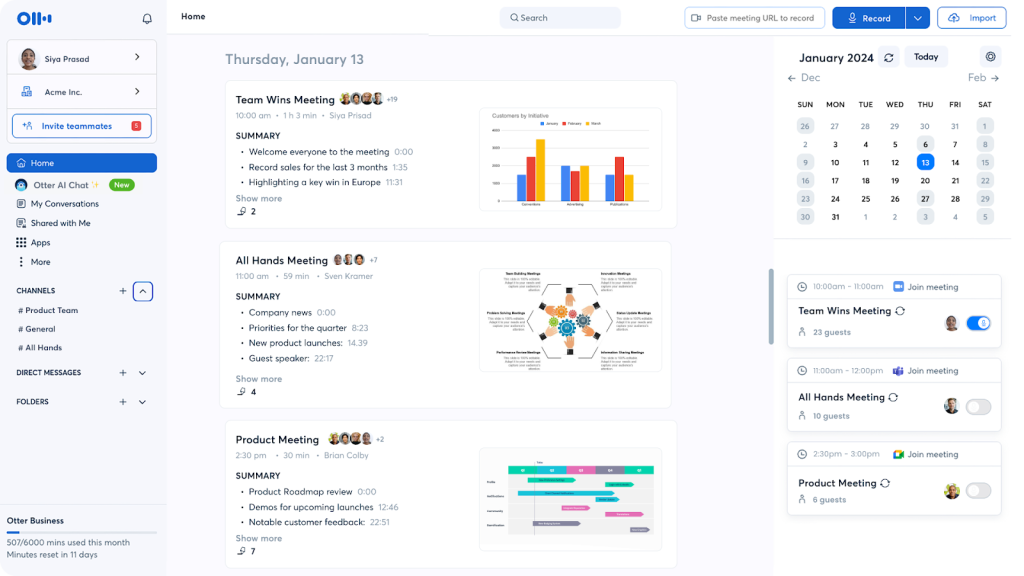
Otter.ai turns conversations into searchable, shareable text in real time so teams can follow along as words are spoken, highlight key points, and stay aligned without manual note-taking. It integrates with Zoom, Google Meet, and Microsoft Teams to auto-transcribe meetings, identify speakers, and generate concise summaries. Beyond live capture, Otter supports file uploads for transcription, collaboration via comments and highlights, and an AI chat to answer questions about the meeting, making it a practical choice for building a central record of communications and decisions.
Why choose Otter.ai
Choose Otter.ai if you want fast, accurate real-time transcription and a searchable meeting archive with minimal setup. It is ideal for managers and teams that prioritize clear records, quick highlights, and simple summaries over heavy analytics or coaching, with easy conferencing integrations and Zapier connectivity to push notes into the rest of your workflow.
Conclusion: Choosing the Right Fellow Alternative
The right Fellow alternative depends on what happens after the meeting – not just during it. If you share client recaps and want a polished, reusable space (not a transcript link), choose FuseBase for branded mini-rooms, internal risk flags, and automation that turns notes into tasks. If your priority is fast transcription and a searchable memory, go with Otter.ai. For analytics, sentiment, and cross-app search at scale, Read.ai adds “meeting health” and alignment. Need cross-functional workflows with agenda-to-transcript context and CRM sync? Avoma is the most purpose-built. Prefer simple, affordable capture with broad integrations? Fireflies.ai is the low-friction pick. Prefer private, bot-free note enhancement on-device? Granola keeps it fast and discreet.
Whichever route you take, prioritize tools that convert summaries into next steps with owners and deadlines, so follow-ups actually ship, clients stay aligned, and revenue moments aren’t missed.