

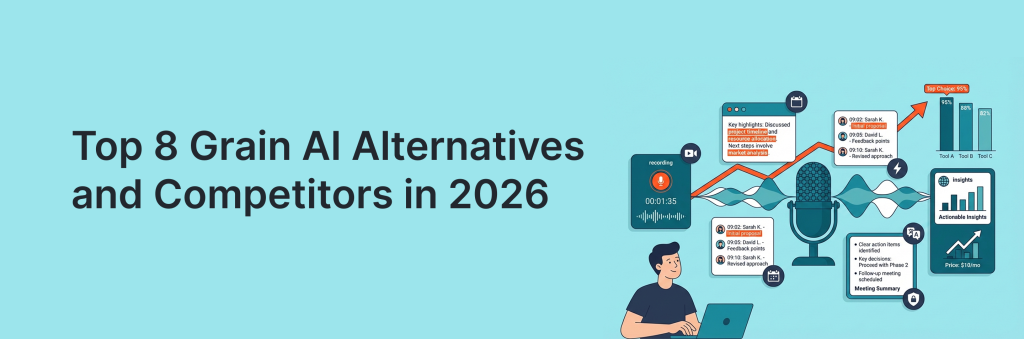
Grain AI is a popular choice for recording calls, pulling highlights, and sharing clean snippets with your team – but it’s not the only option in 2026. Depending on your workflow, you might need stronger transcription accuracy, deeper CRM integrations, better collaborative notes, stricter compliance controls, or more flexible pricing.
The good news: the market is packed with tools that match (and sometimes beat) Grain in specific areas like sales coaching, meeting summaries, searchable libraries, and automated follow-ups. In this guide, we’ll break down the top Grain AI alternatives and competitors to help you quickly find the best fit for your team size, tech stack, and meeting habits.
Quick Overview of the Top Grain AI Alternatives
- FuseBase – Best for teams that want meeting notes turned into a shareable knowledge hub (clients + internal docs).
- Otter.ai – Best for reliable transcription and fast search across meetings, with easy note sharing.
- Bluedot – Best for recording + AI notes with smooth collaboration and shareable recaps.
- Gong – Best for sales orgs that need coaching, deal insights, and CRM-driven workflows.
- Read.ai – Best for meeting recaps plus analytics (engagement, attendance insights, productivity signals).
- Tactiq – Best lightweight option for live captions and quick Google Meet notes with simple exports.
- MeetGeek – Best for automated meeting minutes, action items, and follow-up-ready summaries.
- Fathom – Best for individuals and small teams who want quick summaries and highlights with minimal setup.
What is Grain AI?
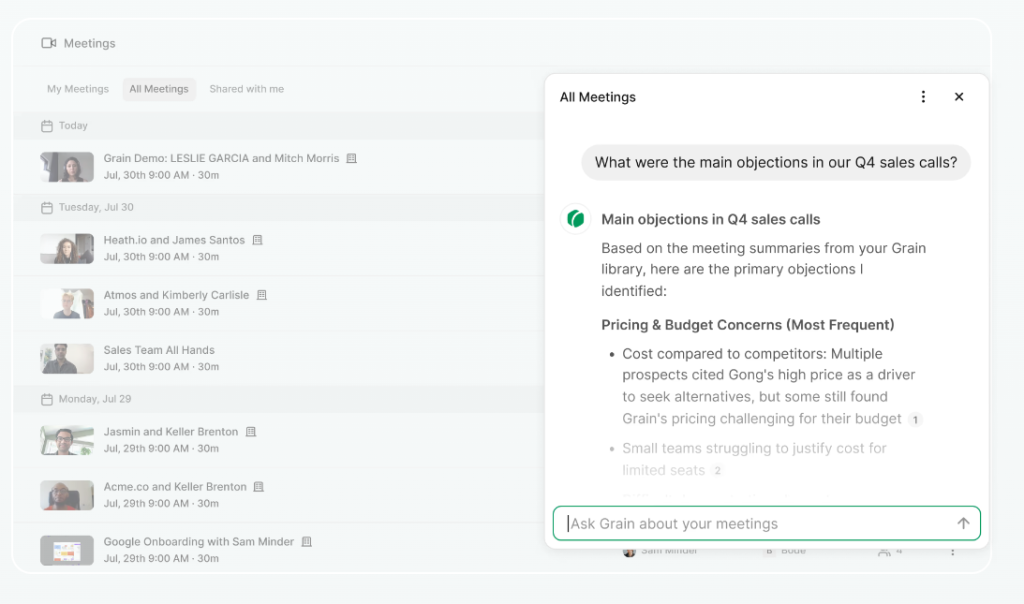
Grain is a conversation intelligence and AI meeting assistant that automates note-taking, CRM data entry, and follow-up emails so teams spend less time on admin. It offers time-stamped comments, reels, and a simple interface for quick highlights and sharing, plus a Live Notepad to tag moments and clip segments in real time. Deal analytics provide pipeline overviews, track deal status and activity, and capture keywords to surface trends across calls. We like its automatic CRM sync and conversation insights like talk time, talk speed, and filler words, as well as video highlights and playlists for faster ramping.
Grain AI Pros and Cons
Pros
- Automatic CRM sync for notes, deals, tasks, and activities (less copy-paste).
- Conversation insights: talk time, pace, filler words, keyword tracking.
- Live Notepad for real-time tagging and instant clips during meetings.
- Video highlights and playlists to ramp new hires faster.
- Clear summaries/transcripts; saves time generating follow-ups and proposals.
- Integrations with HubSpot and Google Calendar; easy setup and responsive support.
Cons
- Limited integrations overall; weak for multi-CRM, dialer, PM, and collaboration stacks.
- No centralized call recording library/dashboard, making retrieval harder.
- Lacks coaching depth (no auto-call scoring or AI feedback).
- API/integration flexibility is limited for PM tools or CRM uploads.
- External sharing can cause permission friction; settings can feel confusing.
- No mobile app; call categorization could be better.
- Non-HubSpot users may struggle with syncing summaries and automating client notes.
Top 8 Grain AI Alternatives and Competitors
1. FuseBase
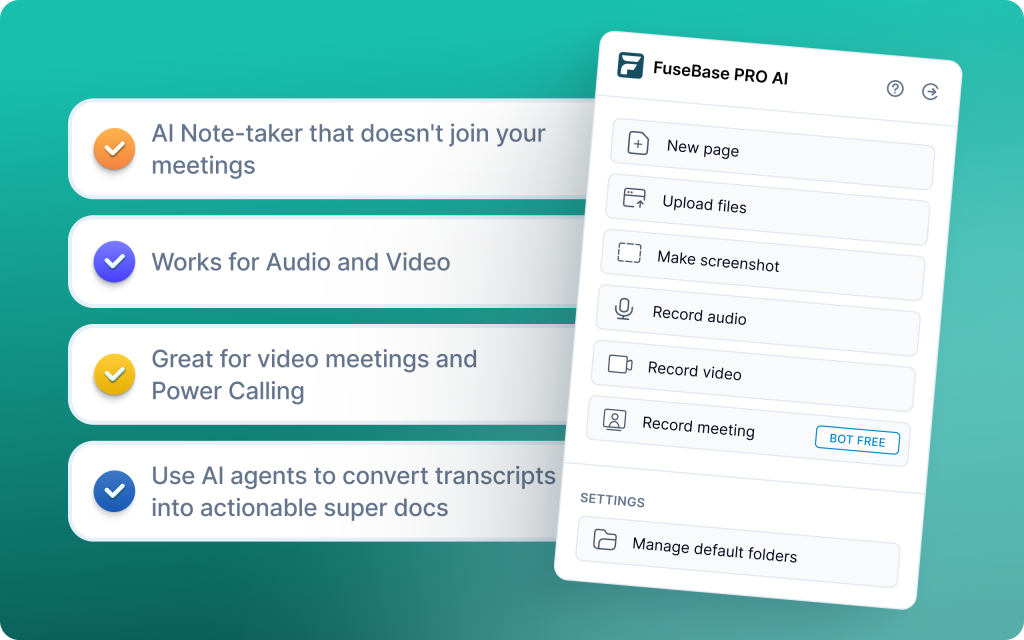
FuseBase is a bot-free AI meeting recorder and workspace that turns every Zoom, Teams, or Meet call into a branded mini-room with recap, decisions, next steps, and supporting assets – not just a smarter transcript link. Each meeting lands in a shareable client/deal room under your domain, so clients see a premium, organized space instead of a naked transcript page. AI agents watch calls for risk, opportunities, and follow-ups, then convert those moments into tasks, trackers, and workflows across your stack. Trackers surface real business signals like no next meeting, budget gaps, scope creep, and renewal risk, rolling up patterns by account, rep, or project. Dashboards highlight where to act now, while the built-in work suite (notes, audio notes, Loom-style videos, docs, files) keeps the entire story in one place.
Pros
- Mini-rooms per meeting with recap, decisions, next steps, and assets
- White-label sharing under your domain and brand
- Trackers flag real risks like no next meeting or scope creep
- AI agents auto-create tasks and follow-ups, synced to your tools
Cons
- May be overkill for solo users
- Advanced workflows can require configuration
2. Otter.ai
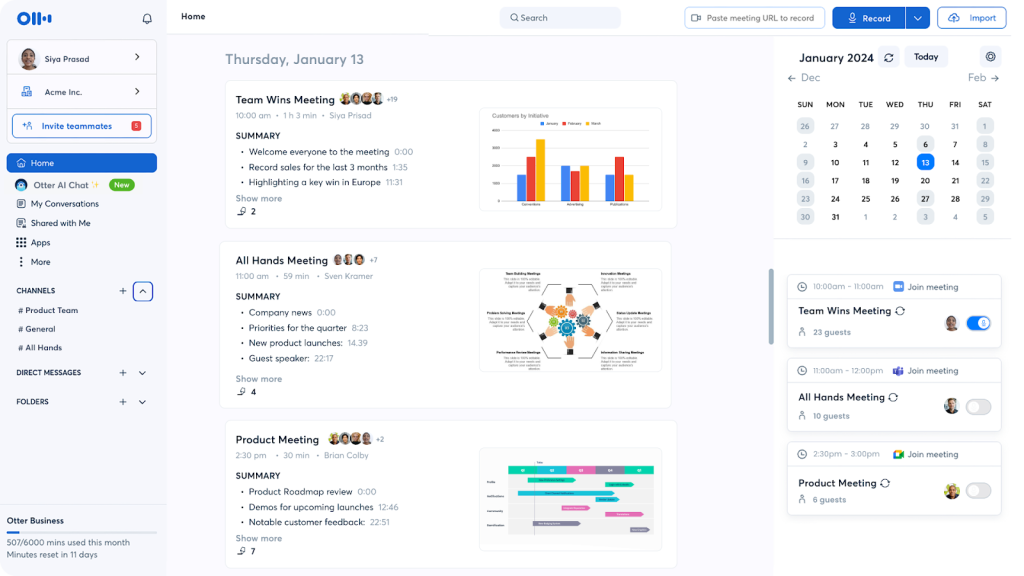
Otter.ai is a transcription-first meeting assistant that turns conversations into searchable, shareable text with live captions, multi-speaker identification, and instant collaboration. It supports meetings and interviews, lets teams co-edit notes, manage action items, and generate summaries, and integrates cleanly with Zoom for automatic capture. Real-time transcription and Otter AI Chat make it easy to highlight key moments as they happen, then search by keywords and phrases later.
Pros
- Accurate real-time transcription with speaker identification
- Searchable notes, summaries, action items, and comments for fast collaboration
- Otter AI Chat to query meeting content
- Seamless Zoom integration for automatic capture
Cons
- English-only; no broad multilingual support
- Free plan capped at 300 transcription minutes per month
- Emphasizes transcription over deeper conversation intelligence or coaching
3. Bluedot
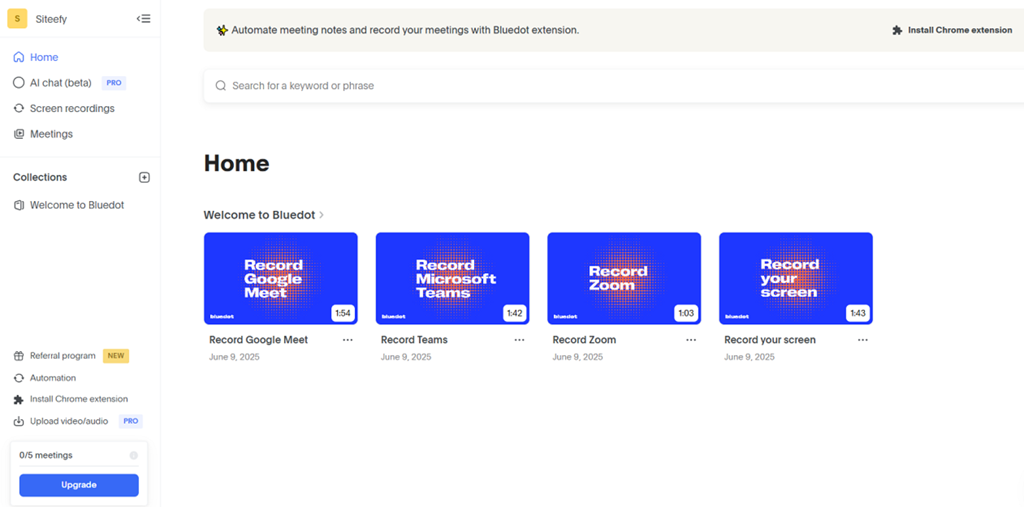
Bluedot is a bot-free, Chrome extension-based meeting assistant that delivers fast, accurate transcription, notes, and analytics without inviting a bot to your calls. It supports 100+ languages, advanced speaker ID, and CRM integrations, generating transcripts and structured notes in seconds and keeping everything private-by-default. Teams can ask AI questions about the meeting, auto-draft follow-ups, search across transcripts, and even edit video by editing the text. Built for sales, client-facing, and project teams, Bluedot runs across macOS, Windows, iOS, Android, and Chrome, offering a clean workflow that does not disrupt your meetings.
Pros
- Bot-free capture with a simple Chrome extension workflow
- AI chat for instant follow-ups; integrates with major CRMs and collaboration tools
- Private-by-default transcripts and cross-platform support (Meet, Teams, Zoom)
- Video-by-text editing, annotations, and shareable highlights
Cons
- Free plan limited to 5 recordings total
- Basic plan is audio-only with a one-hour limit
- Limited advanced editing features for power users
4. Gong
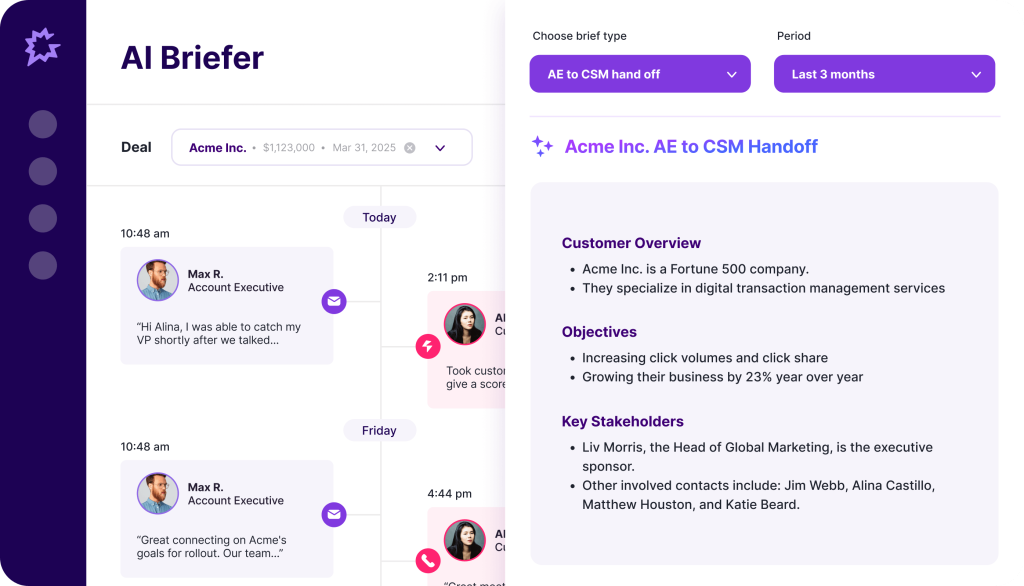
Gong is a revenue intelligence platform built for sales teams that goes far beyond transcription. It captures calls, emails, and meetings, analyzes sentiment and product interest, spots deal risk, and rolls insights into pipeline views and forecasts so leaders can coach and course-correct in real time. With deep CRM and conferencing integrations and AI summaries/follow-ups, Gong shows what is working across conversations and where deals stall, helping teams standardize best practices and improve win rates.
Pros
- Deep conversation and deal intelligence with risk flags and pipeline visibility
- Strong coaching stack: scorecards, dashboards, and KPI libraries
- Integrations with Salesforce, HubSpot, Dynamics 365, Zoom, and Google Meet
- Supports 70+ languages; AI summaries and follow-up generation
Cons
- Transcript accuracy and search can be inconsistent at times
- Data-heavy experience requires careful setup and filtering
- Processing and insights may lag on long or complex calls
5. Read.ai
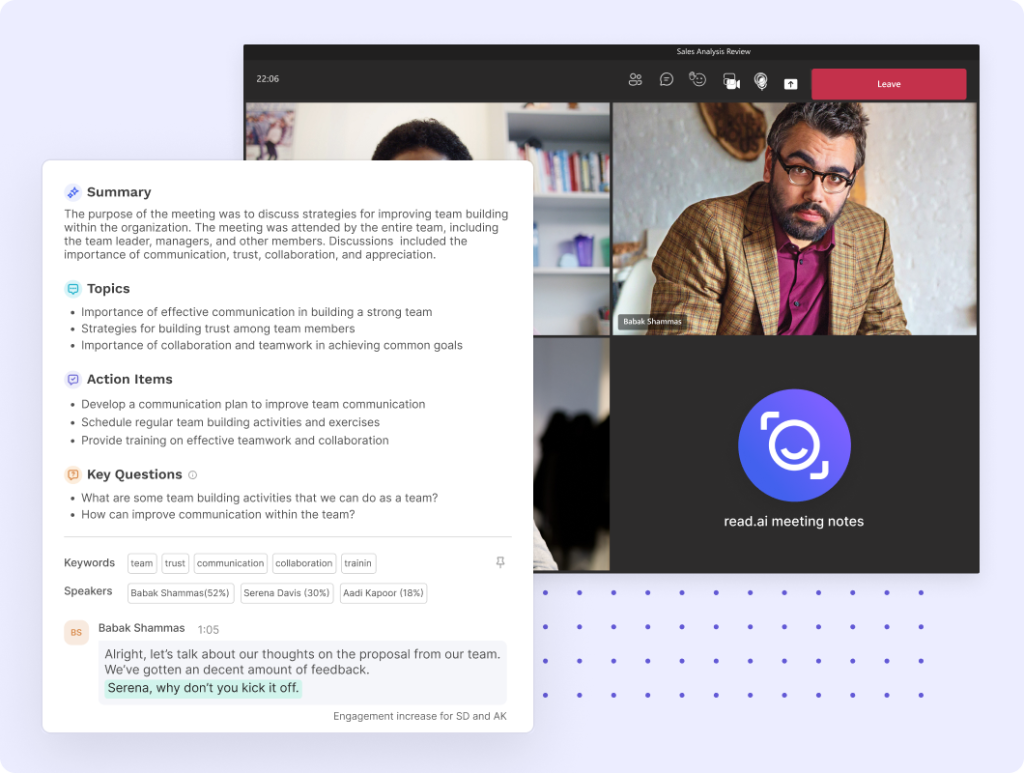
Read.ai is a meeting analytics assistant for Zoom, Teams, and Google Meet that pairs automatic transcripts with real-time summaries, engagement scores, and sentiment insights. Leaders use its Speaker Coach to get feedback on clarity, pace, and talk-time balance, while Search Copilot pulls answers from transcripts, emails, Slack, Teams, Gmail, and Outlook to speed decisions. It highlights key moments for quick playback, surfaces trends across conversations, and shows metrics live in the meeting so teams can adjust on the spot.
Pros
- Real-time insights and summaries with engagement and sentiment metrics in-call
- Speaker Coach provides actionable feedback on delivery and style
- Cross-platform Search Copilot unifies transcripts, Slack, Gmail, and Outlook
- Fast playback with AI-marked highlights for quick review
Cons
- Bot can auto-join meetings even when not desired, raising privacy friction
- Harder to fully remove once connected to calendars and meetings
6. Tactiq
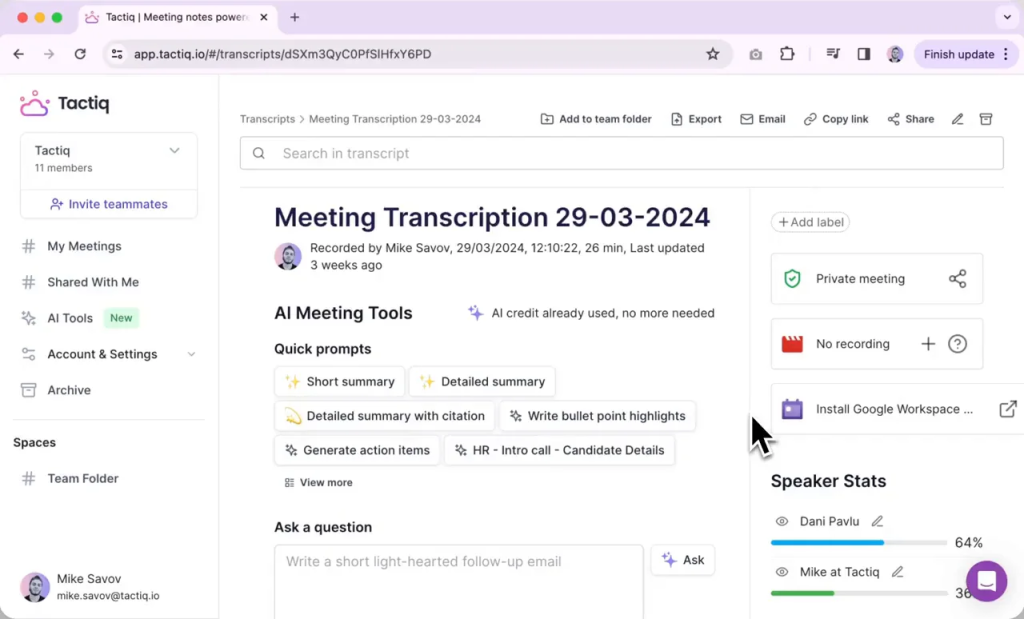
Tactiq is a browser-first meeting assistant built for real-time transcription and task follow-through. Running on top of Google Meet, Zoom, and Microsoft Teams via a Chrome extension, it captures live captions with speaker IDs, timestamps key moments, and generates AI summaries, action items, agendas, and follow-up emails. Teams can push tasks to Jira or share notes to Slack, query the AI after the call, and even upload past transcripts or audio for improved summaries.
Pros
- Real-time sidebar transcripts with speaker identification
- AI summaries, action items, and ready-to-send follow-up emails
- Simple automations and integrations for Jira, Slack, and more
- Upload past transcripts or audio to generate improved summaries
Cons
- Accuracy drops in some non-English languages
- May require manual review before pushing tasks to external tools
7. MeetGeek
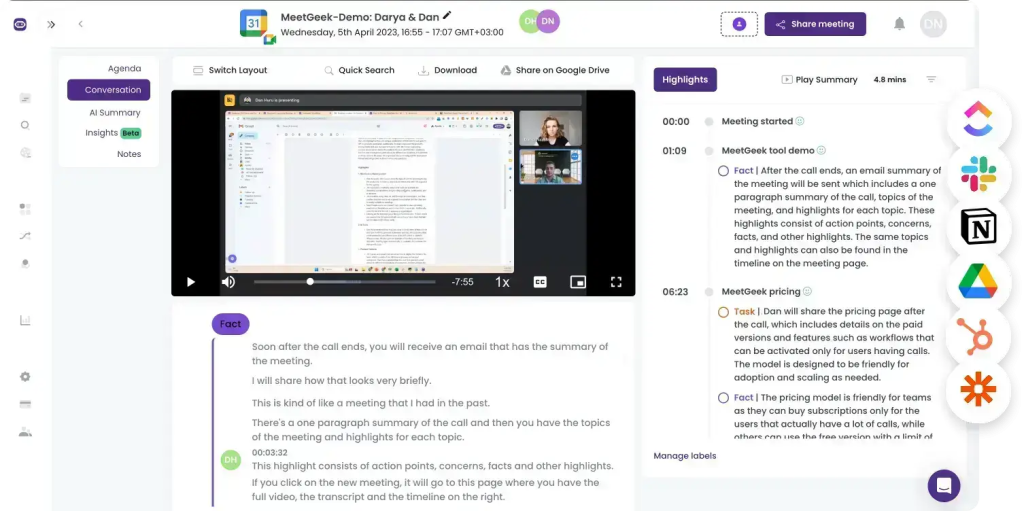
MeetGeek is an AI meeting assistant that automates transcription, summaries, and advanced analytics across Zoom, Meet, and Teams, then feeds outcomes into your stack. It focuses on detailed, context-aware recaps, provides a searchable call library for team knowledge, and surfaces conversation insights like engagement, speaker distribution, and trends with 100+ KPIs. With customizable templates and broad integrations (including Zapier), it helps teams cut meeting waste, automate follow-ups, and systematize coaching across sales, CS, and ops
Pros
- Detailed AI summaries with action items and key points
- Searchable call library with tags for team knowledge
- Conversation insights with engagement metrics and 100+ KPIs
- Broad integrations via Zapier (Slack, HubSpot, Google Drive)
Cons
- Limited direct CRM/dialer integrations
- Bot joins by default; controls feel inflexible
- No AI Copilot for on-demand Q&A
8. Fathom
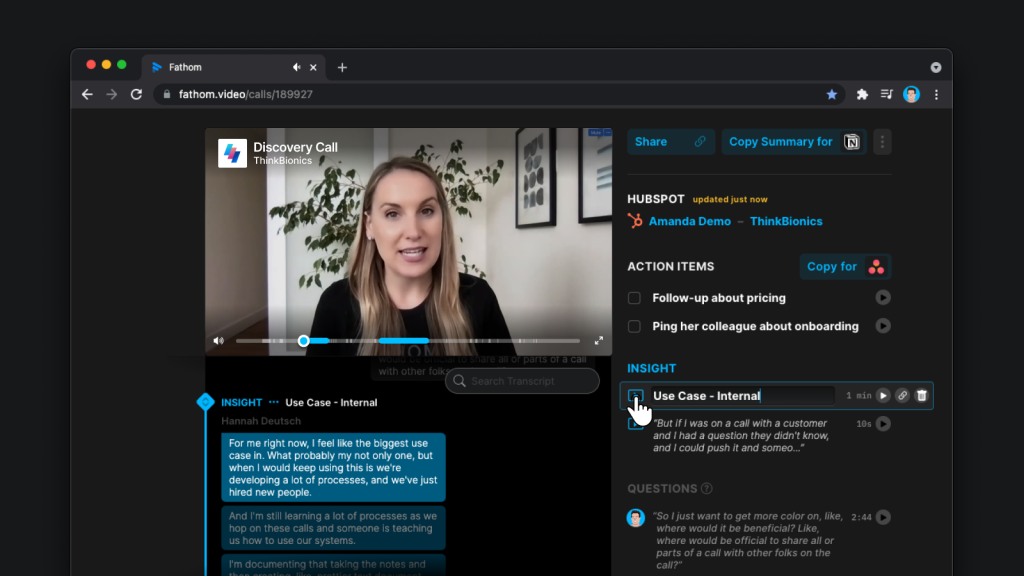
Fathom is a free, meeting-focused assistant that records, transcribes, and summarizes calls so you can stay engaged while it captures the details. It’s best for quick sales insights and crisp call summaries, with templates for sales and CS, instant video clips for richer context, and seamless sync to Salesforce and HubSpot to auto-update notes and tasks. Real-time talk-time tracking and “monologue” alerts help improve call dynamics, while a searchable library (on paid tiers) supports team handoffs.
Pros
- Generous free plan with unlimited recordings for individuals
- Fast highlights and shareable video clips for context-rich updates
- CRM sync with Salesforce and HubSpot to automate follow-ups
- Real-time signals (talk time, monologue alerts) to improve call quality
Cons
- Limited customization and no AI training for summaries
- Fewer enterprise integrations than other tools
Summary: Choosing the Best Grain AI Alternative
Your choice should accelerate next steps, protect revenue, and reduce cleanup work after calls. Map the tool to the job. If you share client-ready recaps or want branded spaces where AI turns moments into tasks and follow-ups, start with FuseBase. If coaching and in-meeting signals matter most, pick Read.ai; for enterprise-grade forecasting and deal risk, choose Gong. For transcription-first workflows and searchable records, go with Otter. Need bot-free capture with multilingual speed? Try Bluedot. Prefer a browser-first side panel that creates tasks on the fly? Tactiq fits. Teams seeking organized libraries and KPI-heavy insights can look at MeetGeek. Align on language coverage, privacy posture, and whether you need client-facing outputs or internal coaching to move the revenue needle fastest.