

Meetings don’t end when the call ends – teams still need clean notes, clear action items, and follow-ups that don’t slip through the cracks. If Jamie isn’t fitting your workflow (or you need stronger collaboration, admin controls, or integrations), the good news is there are plenty of capable options built for teams. In this guide, we’ll cover the 10 best Jamie AI alternatives for teams, focusing on what matters most in a shared environment: multi-user support, permissioning, workspace features, security, and smooth connections to tools like Google Calendar, Zoom, Slack, Notion, and CRMs. By the end, you’ll know which platform best matches how your team meets, tracks decisions, and gets work done.
Quick Summary of the Best Jamie AI Alternatives
- FuseBase – Bot-free, branded mini-rooms; action-ready AI.
- Grain – Fast highlights, live notepad, CRM sync.
- Krisp – Noise cancellation + bot-free transcription.
- Fellow – Calendar-first agendas, notes, AI summaries.
- tl;dv – Research tagging, highlights, multi-platform.
- Fireflies.ai – Strong summaries, search, wide integrations.
- MeetGeek – Advanced analytics, automations, multilingual.
- Fathom – Free for individuals, Zoom-focused highlights.
- Otter.ai – Transcription-first, summaries, slide capture.
- Supernormal – Custom templates, action items, deep integrations.
What is Jamie?
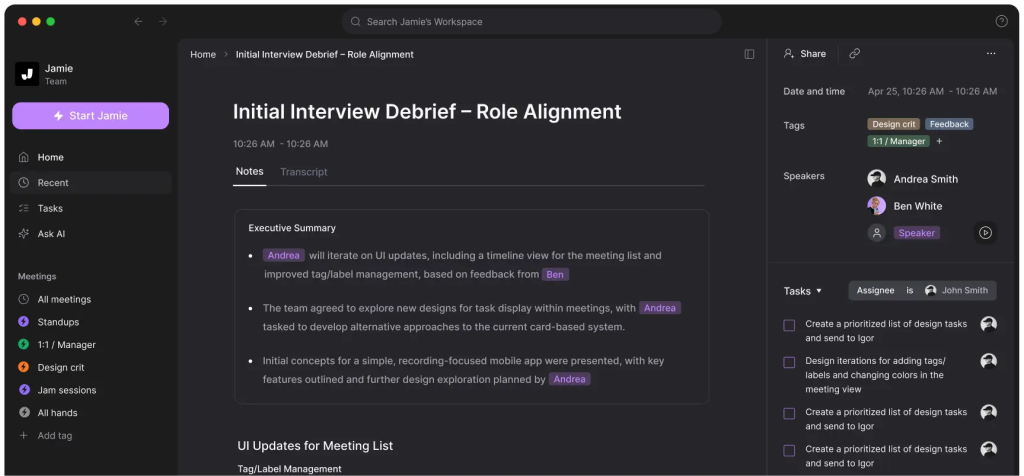
Jamie is an AI meeting assistant designed to help teams capture what happened in meetings without relying on manual note-taking. It typically turns conversations into structured summaries, highlights key points and decisions, and pulls out action items so teammates can follow up faster. For team use, Jamie is often positioned as a way to standardize meeting documentation, keep stakeholders aligned, and reduce the time spent writing recaps after calls – especially when meetings happen across multiple time zones and departments.
Pros
- Saves time after meetings: Automatically generates summaries and next steps, reducing manual recap work.
- Clearer alignment: Captures decisions and action items so fewer things get missed or misunderstood.
- Consistent documentation: Creates a repeatable format for notes across teams and meeting types.
- Easier sharing: Recaps can be distributed quickly to stakeholders who couldn’t attend.
- Helps remote teams: Useful when meetings span time zones and participants need async updates.
Cons
- Accuracy can vary: Background noise, accents, or overlapping speech can reduce summary quality.
- Privacy/security considerations: Recording and processing meeting content may be a concern for sensitive orgs.
- Integration limits: If it doesn’t connect smoothly with your calendar, CRM, or task tools, it adds friction.
- Requires review: Teams may still need to double-check summaries and action items for nuance/context.
- Cost at scale: Per-user pricing can add up for larger teams or frequent meeting-heavy roles.
10 Best Jamie AI Alternatives
1. FuseBase
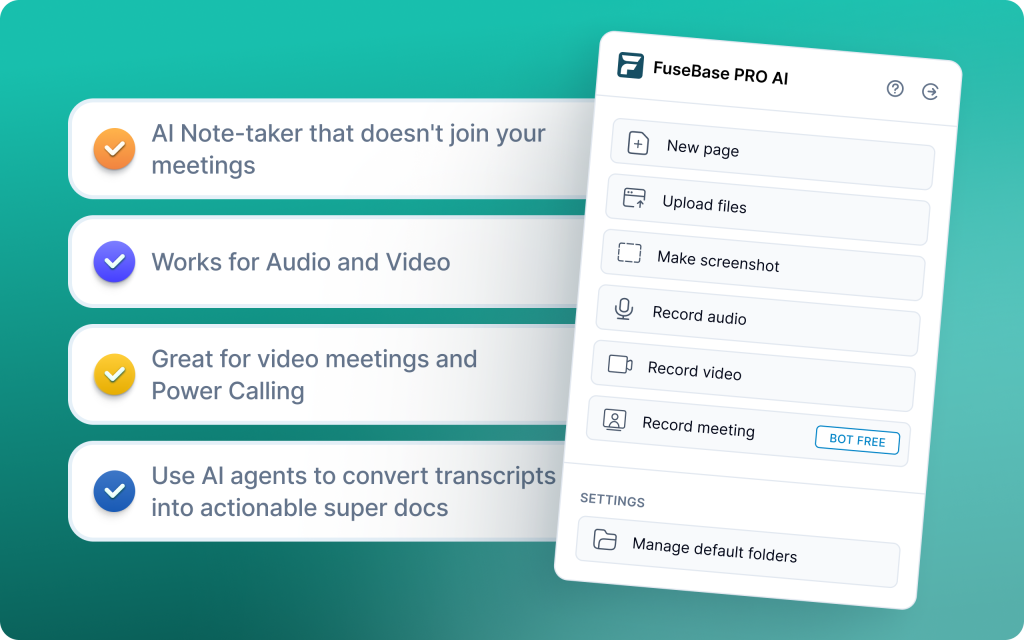
FuseBase is a bot-free AI meeting recorder and client workspace designed for high-stakes revenue moments like sales calls, renewals, onboarding, and complex stakeholder meetings. Instead of dropping another transcript link into a Slack thread, it turns every Zoom, Microsoft Teams, or Google Meet conversation into a branded, shareable mini-room where everything lives together: a clean recap, key decisions, next steps, files, links, and context your team (and your client) can actually use. And its AI agents don’t just summarize – they track the conversation for risks, opportunities, scope changes, and follow-up gaps, helping teams stay proactive and protect margins.
Pros
- Strong AI automation and workspace options that turn insights into tasks and next steps
- Automatic separation of internal coaching notes from client-shared content
- Client Portal and Deal Room output instead of a raw transcript link
- AI Agent can detect scope creep and unbilled requests to protect revenue margins
- Branded, white-label experience that elevates client perception and reduces link chaos
Cons
- Not designed for cold-call recording and deep rep coaching
- Can be overkill for very small teams with basic note needs
2. Grain
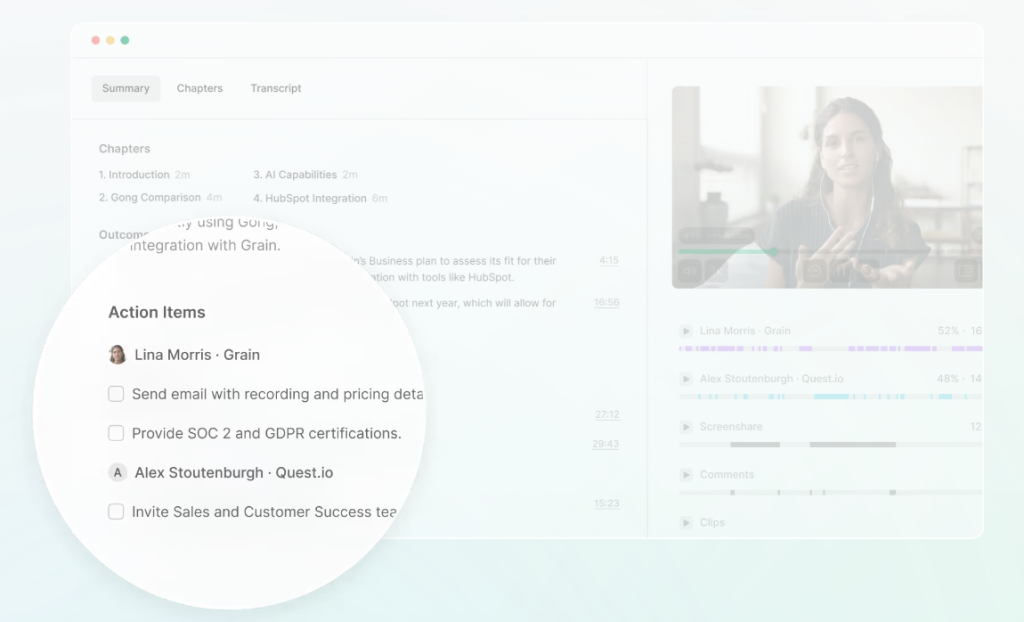
Grain is a conversation intelligence and AI meeting assistant focused on fast note capture, highlights, and CRM hygiene. It automates note-taking, CRM data entry, and follow-up emails, offers time-stamped comments and reels, and provides basic deal analytics to track pipeline activity, keywords, and conversation insights. Best for teams that share key moments instead of full recordings, especially those standardized on HubSpot.
Pros
- Automatic CRM sync for notes, deals, tasks, and activities (strong HubSpot support)
- Live Notepad for real-time notes, tagging, and instant clip creation
- Conversation insights like talk time, speed, and filler words
- Easy video highlights, reels, and playlists for onboarding and knowledge sharing
- Clear summaries and transcripts; quick setup with responsive support
Cons
- No centralized call recording library/dashboard
- Lacks coaching features like auto-scoring and AI feedback
- External sharing can run into permission issues
3. Krisp
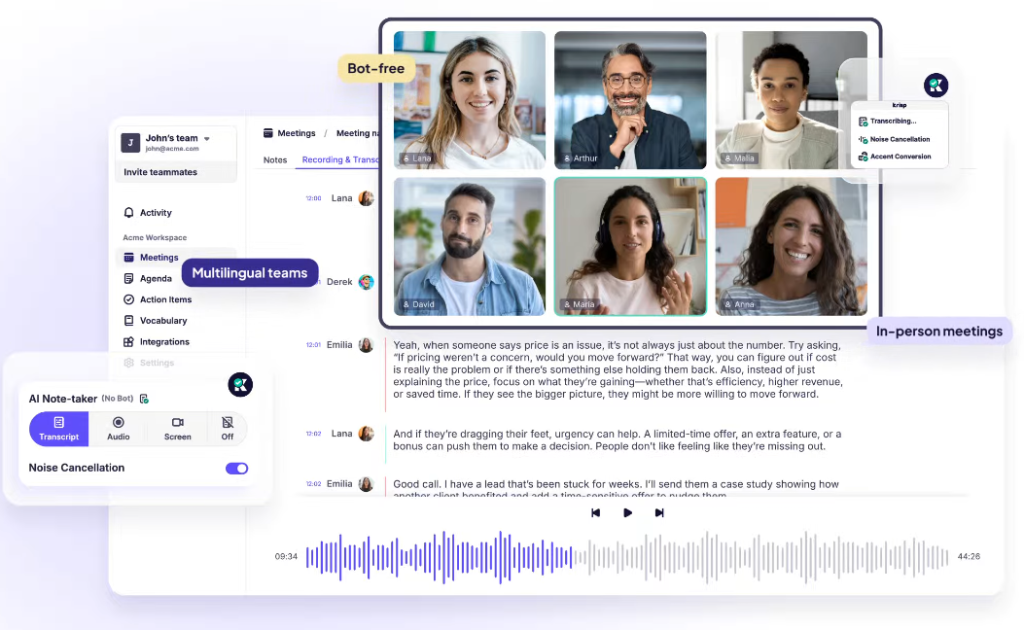
Krisp is a bot-free AI meeting tool focused on audio quality and real-time transcription. It delivers two-way noise and echo removal, live transcripts, searchable meeting history, and mobile recording with noise cancellation. Ideal for privacy-conscious orgs, open-office teams, and remote workers who need crystal-clear calls and accurate documentation without a meeting bot.
Pros
- Two-way AI noise and echo cancellation for consistently clear audio
- Bot-free operation with strong privacy posture and compliance appeal
- Real-time transcription with unlimited free transcripts
- Searchable meeting history and note archives
- Mobile support to record and transcribe anywhere
- Accent conversion and voice clarity tools improve intelligibility
Cons
- Limited conversational intelligence and no deep coaching or scoring
- No CRM sync, task automation, or deal analytics
- Better as an audio quality and transcription layer than a workflow system
4. Fellow
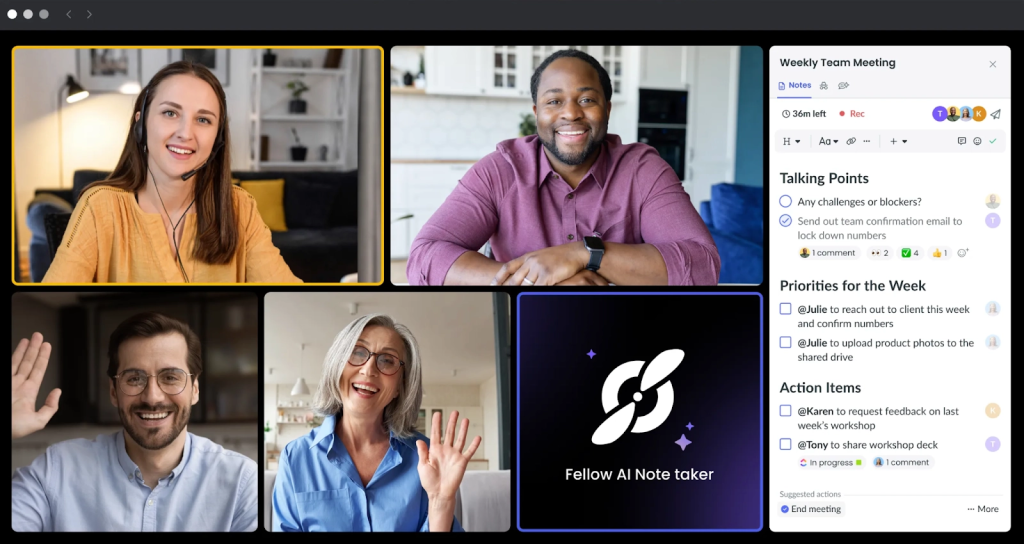
Fellow is best for calendar-driven meeting workflows. It plugs into Google and Microsoft calendars to activate real-time notes, blending collaborative agendas, notetaking, and AI summaries in one workspace. Active before, during, and after meetings, it adds pre-meeting briefs, tailored talking points, and agenda suggestions. Notes tie directly to recurring meetings or projects and support 10 languages. Ideal for managers and cross-functional teams running back-to-back calls.
Pros
- Deep calendar integration with real-time note activation
- Collaborative agendas, shared templates, and pre-meeting briefs
- AI assistant for summaries, follow-ups, and tailored prompts
- Insights into meeting trends and coverage across the org
- 500+ meeting agenda templates
Cons
- Lacks detailed meeting analytics and coaching depth
- Not a fit for orgs prioritizing sales intelligence or revenue analytics
5. tl;dv
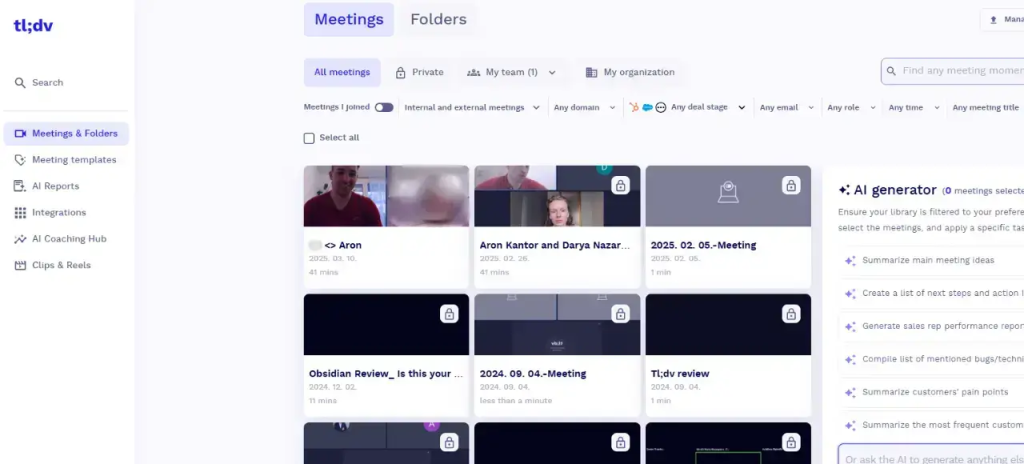
tl;dv is an AI-powered meeting recorder for Google Meet, Microsoft Teams, and Zoom that delivers real-time transcription and post-call AI summaries. Built with researchers in mind, it shines for product and UX teams running user interviews and workshops. Expect quick tagging, timestamped highlights, and shared libraries to curate insights across 30+ languages.
Pros
- Real-time recordings and transcriptions across Zoom, Meet, and Teams
- Intuitive tagging and timestamped highlights for fast insight capture
- Research-friendly libraries to organize and revisit calls
- AI-generated post-call summaries that clarify next steps
- Strong multi-language support (30+)
Cons
- Some advanced integrations and AI features sit behind paid tiers
- Limited CRM and sales workflow focus compared to CI tools like Fireflies or Avoma
- Relies on a meeting bot join, which some teams prefer to avoid for privacy or consent workflows
6. Fireflies.ai
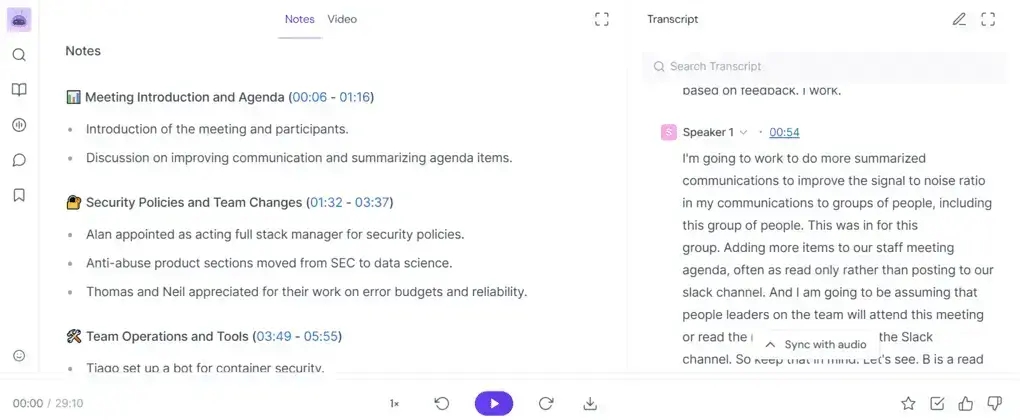
Fireflies.ai is a proven AI notetaker and meeting organizer used by well-known brands. It records, transcribes, and summarizes calls across Zoom, Google Meet, and Microsoft Teams, then makes them easy to search so you can review a 60-minute meeting in minutes. Build a searchable library as your team’s hub of knowledge, collaborate in the transcript, and use the AskFred assistant to surface answers fast. Strong integrations and solid value make it a reliable choice for teams that want simple, effective capture and recap.
Pros
- Top-tier AI summaries and powerful smart search to review calls quickly
- Cross-platform recording and transcription with a central library
- Collaborative transcripts with comments, reactions, and highlights
- AskFred assistant to query meetings and find info fast
Cons
- Video recording only available on paid tiers
- Less suited for teams needing deep sales coaching or CI-grade analytics
7. MeetGeek
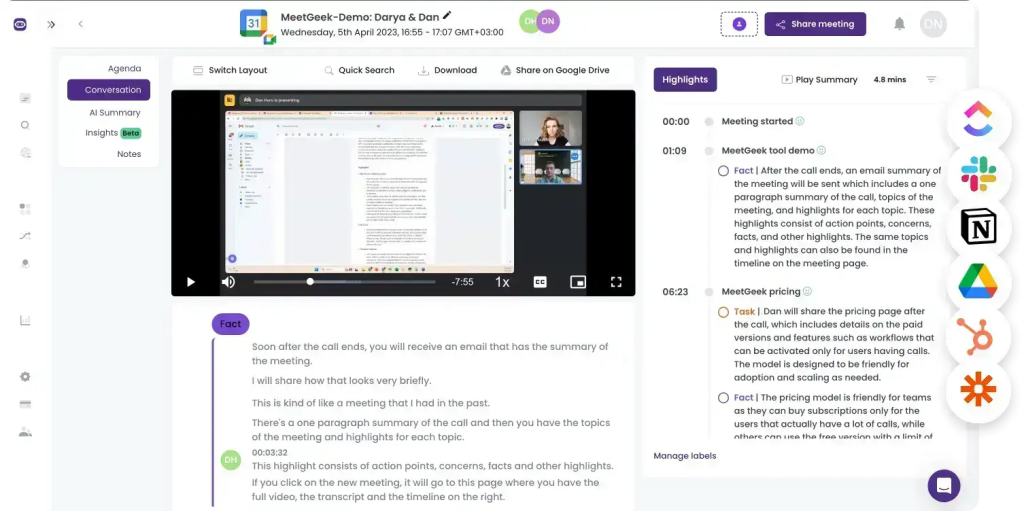
MeetGeek is an AI meeting assistant that automates transcription, summarization, and advanced analytics with a strong focus on accuracy and detail. It generates thorough AI summaries with action items, rolls insights into a searchable team library, and integrates with 7,000+ tools via native connectors and Zapier. Built for collaboration and automation, it also supports 20+ languages with mixed-language recognition in a single call, auto-distributing summaries to inboxes and Slack for fast follow-up.
Pros
- Detailed AI summaries with action items and key points
- Advanced conversation intelligence with 100+ KPIs
- Large integration surface (7,000+ apps) for automated workflows
- Team library for searchable past meetings and shared insights
- Customizable meeting templates for structured agendas
- Multilingual and mixed-language transcription in one call
Cons
- Free tier has limited transcription features
- Summaries can miss nuanced, context-specific details
- Some advanced analytics and automation features are gated to paid plans
8. Fathom
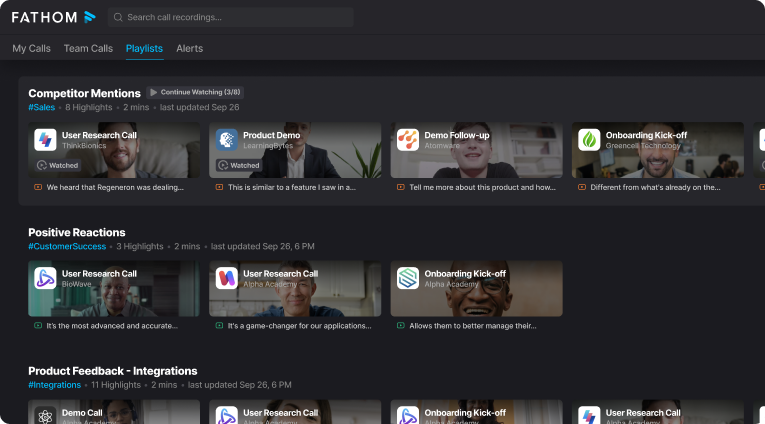
Fathom is a meeting assistant and transcription tool that records, transcribes, highlights, and summarizes live meetings. It’s especially attractive for individuals thanks to a generous free plan with unlimited recordings and storage. Fathom can auto-generate notes and sync them to relevant CRM sections, helping CSMs share transparent recaps with clients and quickly surface key moments.
Pros
- Excellent free plan for individuals with unlimited recordings and storage
- Strong live transcription, highlights, and smart summaries
- Instant clip creation for sharing key moments
- Auto-generated notes with CRM sync to relevant sections
- Simple, reliable workflow for capturing and sharing client discussions
Cons
- Currently Zoom-only, limiting cross-platform coverage
- Team collaboration and search features require paid tiers
- Better fit for individual users and small teams; larger orgs may outgrow it
9. Otter.ai
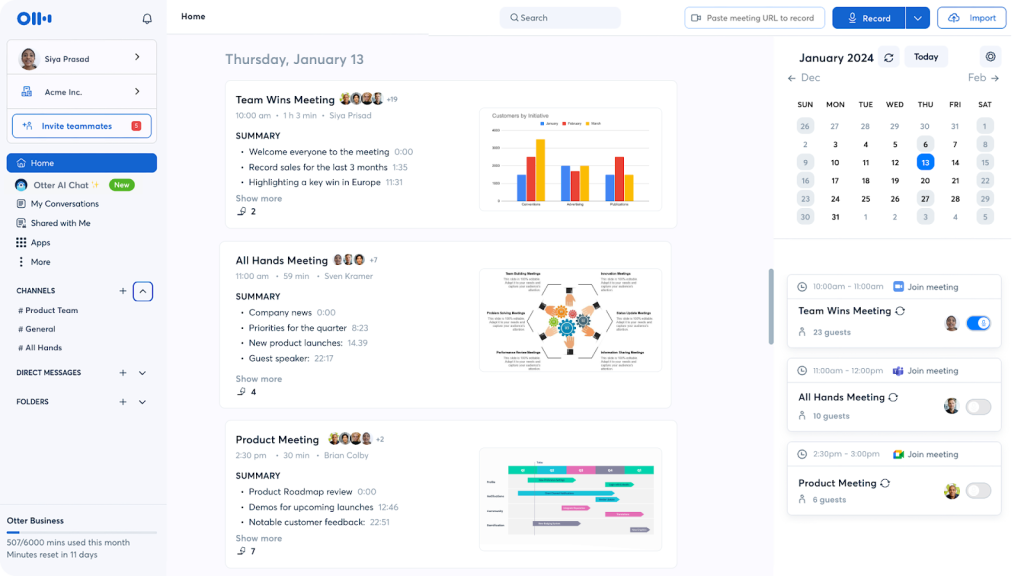
Otter.ai is a transcription-first tool that records audio and generates real-time transcripts with speaker IDs, timestamps, and automated summaries. Teams can highlight, comment, assign action items, capture slides, and search a cross-device transcript archive. It remains a strong choice for accurate, shareable transcripts, especially for journalism, academia, and teams that want simple, fast documentation.
Pros
- Real-time transcription on Zoom, Google Meet, and Microsoft Teams with speaker identification
- Automated summaries, action items, and highlights for quick alignment
- Collaborative workspace for comments and task assignments
- Slide capture synced to the transcript for added context
- Powerful search and keyword tracking across a transcript archive
Cons
- Languages limited to English, Spanish, and French
- Accuracy can drop with heavy accents or noisy environments
- Less favored by remote/async teams needing richer meeting management and sharing spaces
10. Supernormal
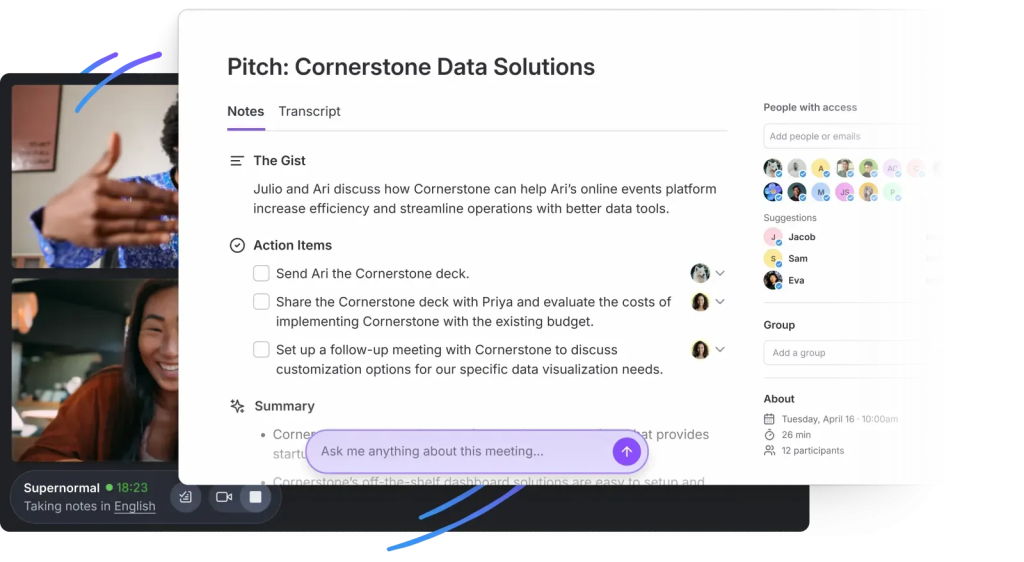
Supernormal is a meeting assistant built for structured, shareable documentation. It creates real-time agendas, detailed recaps, and action items, then pushes them directly into your stack. With customizable templates, 60+ language support, and deep integrations across Salesforce, HubSpot, Notion, Asana, Trello, Google Docs, and Slack, it fits teams that want notes to match their process and move work forward.
Pros
- Customizable summary templates per meeting type
- Action item detection with automatic assignment to your tools
- Real-time AI assistant for live questions, highlights, and clarifications
- Strong integrations with major CRMs and productivity apps
- Topic and group-based note organization for faster retrieval
Cons
- Requires a meeting bot to join calls, no bot-free capture
- Some advanced features and integrations are gated to higher tiers
Summary
If your team is searching for Jamie AI alternatives, the “best” choice comes down to one question: do you just need meeting notes – or do you need a system that turns meetings into execution?
That’s why FuseBase is the top option for teams. It goes beyond summaries by combining bot-free meeting capture with a client-ready workspace where recaps, files, next steps, and follow-ups live together in one branded, shareable place. Instead of sending another transcript link and hoping tasks get done, FuseBase helps teams stay aligned, surface risks and opportunities, and push real actions into existing workflows – making it ideal for sales, customer success, and any team that depends on clean handoffs and fast follow-through.
The rest of the tools on this list can be great fits if your priority is lightweight transcription, low-cost summaries, or a specific integration. But if your goal is to standardize team collaboration around meetings and move work forward consistently, FuseBase is the strongest Jamie alternative for teams.