

Otter AI still does a solid job with live transcription and summaries, but in 2025, teams want more than words on a page. They need tools that reduce post‑meeting work, push action items to where the team lives, and handle privacy and consent without drama.
This guide cuts through the AI-notetaker noise. We focus on tools that deliver real outcomes: fewer missed follow-ups, faster client recaps, and cleaner handoffs to sales, CS, and delivery. You’ll see where each contender shines and which use cases it actually supports.
If your current tool gives you a transcript but not momentum, you’ll find options here that turn meetings into outcomes.
TL;DR – Best Otter.ai Alternatives
1. FuseBase – Best for client-facing teams that need mini-rooms, not links
Bot-free recording, client-ready recaps, internal-only insights, and AI agents that turn calls into tasks, trackers, and follow-ups across your stack.
2. Fireflies AI – Best for budget-friendly, multi-language transcription with clips
60-language coverage, customizable summaries, soundbites, and broad integrations at accessible pricing.
3. Fathom – Best individual recorder with fast highlights
One-click highlights, clean summaries, easy sharing. Great for founders and ICs who want speed without heavy admin.
4. Avoma – Best for meeting lifecycle and coaching across sales + CS
Agenda-to-follow-up workflows, call coaching, playlists, and pipeline context for managers running consistent processes.
5. Gong – Best for enterprise revenue intelligence tied to pipeline
Deep conversation analytics, deal risk, and market insights at scale. Heavyweight governance and roll-ups for leadership.
6. tl;dv – Best for shareable snippets and product demos
Timestamped highlights and reels make it simple to circulate key moments to product, marketing, and execs.
7. Fellow – Best for agenda-driven teams that want outcomes, not just transcripts
Collaborative agendas, action items, and follow-ups. Pairs well with a lightweight recorder.
What Is Otter AI?
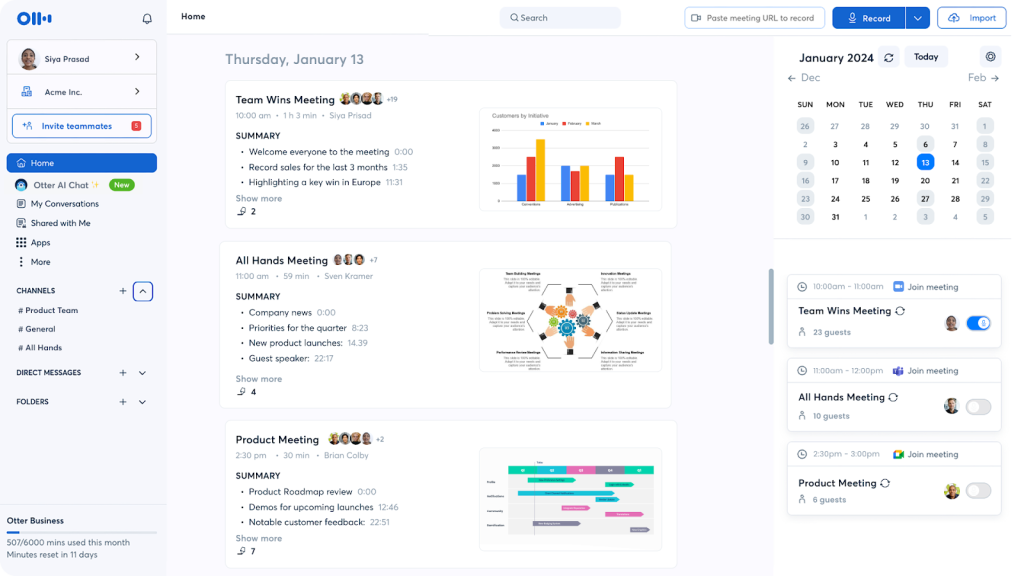
Otter AI is a meeting transcription and notes assistant that captures conversations in real time and turns them into searchable, shareable documentation. It records audio from calls or in-person meetings, transcribes live with speaker labeling, and auto-generates concise summaries with key points and timestamps. Otter.ai can join Zoom, Google Meet, and Microsoft Teams sessions, pull in shared slides, and snap context from the screen so your notes reflect what everyone actually saw.
Under the hood, Otter’s AI speech recognition is tuned for varied voices, accents, and noisy environments. You can highlight moments as they happen, tag teammates, and click any sentence to replay the exact audio. After the call, quickly scan the AI summary, jump to topics by keyword, or hand off the transcript to collaborators. Missed a beat mid-discussion? Open the timeline, scrub to the right moment, and you’re back in the flow in seconds.
What Should You Look for in Otter AI Alternatives?
Great alternatives don’t just transcribe. They reduce post-meeting work, prevent missed follow-ups, and slot into your workflow without friction. Use this checklist to evaluate options for your Otter AI alternative:
- 1. Transcription quality and diarization
- High accuracy in real environments, clear speaker labeling, strong punctuation
- Handles accents, cross-talk, and domain terms with custom vocabulary
- 2. Real-time capture
- Live notes and highlights during the call
- Low latency with reliable replay by timestamp
- 3. Multi-signal recording
- Audio plus screen and slide capture so notes reflect what people heard and saw
- Support for Zoom, Google Meet, Microsoft Teams without clunky setup
- 4. AI summarization that matters
- Action items, decisions, risks, owners, and due dates
- Topic chapters and jump links for quick review
- 5. Editing and collaboration
- Inline edits, comments, @mentions, and shared review
- Version history and the ability to send a clean client-facing summary
- 6. Workflow integration
- Push tasks, notes, and clips to tools like Slack, email, calendars, and CRMs
- API or native sync so follow ups get logged automatically
- 7. Privacy, consent, and compliance
- Simple consent prompts, role-based access, granular sharing
- Encryption at rest and in transit, SOC 2/ISO claims, data residency options
- 8. Data ownership and portability
- Clear retention controls, easy export of audio, transcript, and notes
- Ability to delete recordings and revoke access instantly
- 9. Admin and governance
- Team workspaces, SSO/SCIM, audit logs, usage controls, and templates
- Centralized settings for recording defaults and redaction
- 10. Language and localization
- Multi-language transcription and translation, dialect support
- Custom dictionaries for industry jargon
- 11. Reliability and scale
- Stable bot join for large orgs, high uptime, recovery if a call is joined late
- Works with uploaded recordings and offline backfill
If a tool nails accuracy, real-time capture, multi-signal context, and pushes clean action items into your workflow while protecting data, it will outperform generic note takers and actually reduce time-to-value after every meeting.
Top 7 Alternatives to Otter AI
1. FuseBase
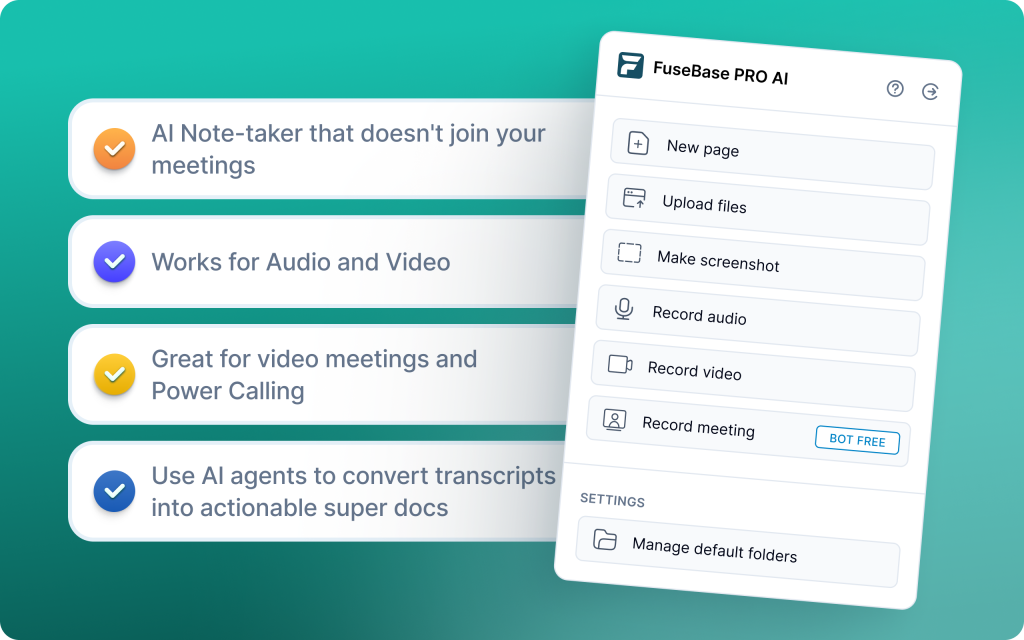
FuseBase is a Bot-FREE AI meeting recorder and workspace that turns every Zoom, Teams, or Meet call into a shareable mini-room with recap, files, and next steps – not just a smarter transcript link. On top of that, FuseBase includes AI agents that watch your calls for risk, opportunities, and follow-ups, then turn those into real actions across your workflows.
Why choose FuseBase over Otter.ai:
- Mini-rooms per meeting, not naked links
Every call lands in its own lightweight “deal/client room” with recap, decisions, next steps, and supporting assets (decks, ROI calculators, contracts, Loom-style videos). Instead of dropping people into a plain Otter AI page, you share a guided space that makes you look organized and premium. - Branded, white-label meeting rooms by default
Shared links live under your brand and your domain, with your logo and colors. Clients feel like they are inside your system, not an Otter.ai-branded tool, which makes you look more established and reduces confusion around where to go. - Consistent white-label experience across every call
Whether it is a discovery call, QBR, or onboarding session, each mini-room inherits the same branding and structure. That means fewer “where is that link?” moments and a much stronger, Netflix-style hub experience for clients returning to past meetings. - Deeper conversational intelligence that tracks real business signals
FuseBase uses trackers that look for what actually moves revenue and retention: no next meeting booked, no budget discussed, scope creeping outside SOW, renewal risks, repeated objections, confusion on a feature, etc. You get patterns across calls by account, rep, project, or product line – not just generic keyword/topic clouds. - Full work suite wrapped around each meeting (and very fast to use)
FuseBase makes it super quick to capture everything around a call: bot-free recording, personal notes, audio notes, Loom-style async videos, and shared documents. You can drop files, links, and follow-up assets directly into the same mini-room so the whole story of the client lives in one place. - Stronger analytics and AI agent automations across all your calls
Instead of manually combing through transcripts, FuseBase rolls up insights into dashboards (for example, “calls with no next meeting,” “accounts with rising risk signals”) and uses AI agents to auto-create tasks, populate trackers, and trigger follow-ups in your existing tools. Your team spends less time cleaning up after calls and more time acting on them.
2. Fireflies AI
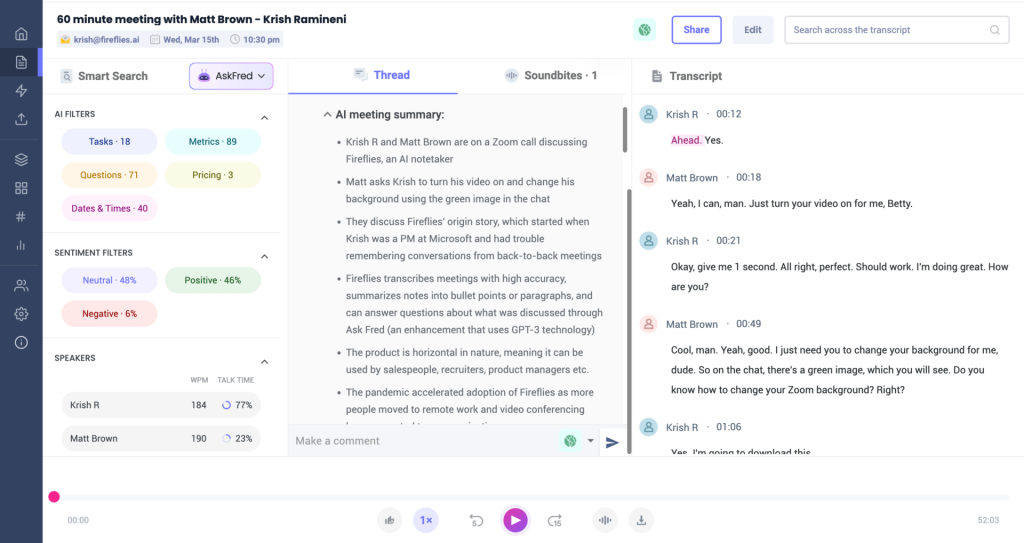
Fireflies.ai is an AI meeting assistant that joins Zoom, Microsoft Teams, Google Meet, and other platforms to capture conversations, generate transcripts in 60+ languages, and produce customizable summaries. You can comment, pin moments, and create shareable soundbites, then push notes to the tools your team already uses. A free tier lets you upload and transcribe three recordings, with deeper collaboration and analytics available on paid plans. Mobile apps on iOS and Android keep your notes and clips handy on the go.
Why choose Fireflies AI over Otter.ai:
- Broad language coverage
Transcribes in 60+ languages with speaker labeling, helpful for global teams and external client calls. - Customizable summaries and formats
Tailor the structure of meeting recaps to your workflow, not the other way around. - Soundbites and moment-level collaboration
Create short, shareable audio clips. Add comments and pins at exact timestamps for faster review and coaching. - File uploads and backfill
Upload recorded calls or voice files for transcription and analysis, not just live meetings. - Team-friendly workspace
Share transcripts and summaries with a few clicks, keep threaded feedback in-context, and reduce swivel-chair editing. - Light analytics when you need them
Access sentiment and talk-time metrics, with deeper insights available on higher plans for revenue and CS teams tracking call quality.
3. Fathom
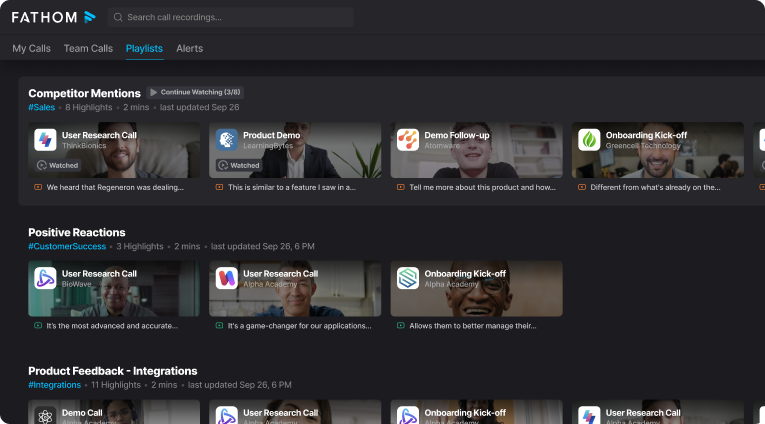
Fathom is a note-taking and recording tool that captures, transcribes, and summarizes your meetings so you can stay focused on the conversation. It comes with customizable templates for common meetings like sales calls and CS check-ins, syncs summaries and tasks to CRMs, and lets you share short video clips for richer context in Slack or email.
Why choose Fathom over Otter.ai:
- Templates by meeting type
Use and customize templates for discovery, demos, QBRs, and support reviews so notes land in a familiar structure every time. - CRM sync that reduces admin
Auto-update notes and tasks in Salesforce and HubSpot so follow-ups are logged without copy-paste. - Shareable video clips, not just text
Send concise snippets to teammates to show tone and context when a summary alone is not enough. - Real-time communication coaching
Track talk time and get instant “monologue” alerts to balance conversations and improve call quality. - Smarter search and live collaboration
Find moments quickly by topic and collaborate in real time to keep everyone aligned. - Clear action items, cleaner handoffs
Identify, organize, and assign follow-ups directly from the meeting output.
4. Avoma
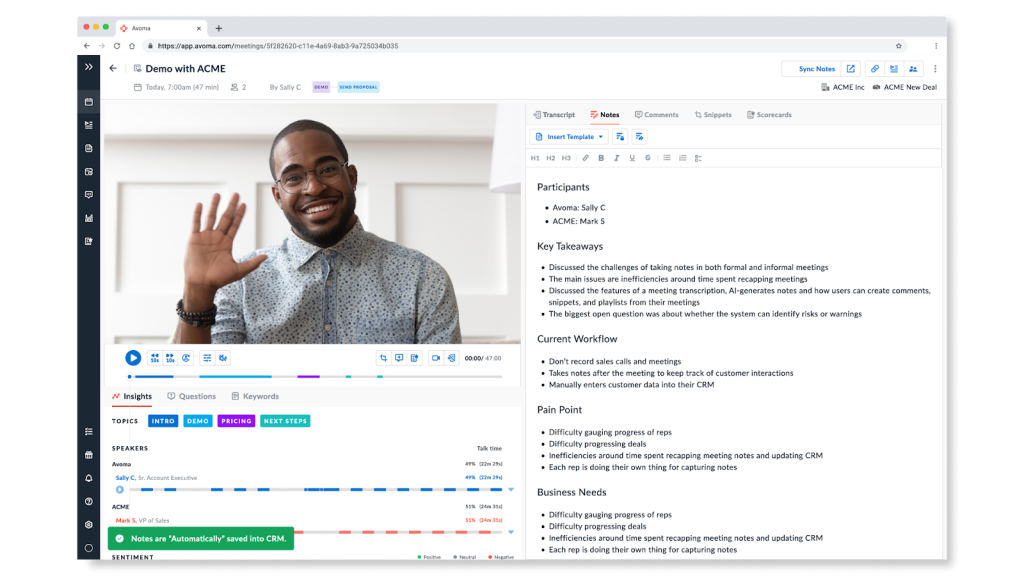
Avoma is a meeting assistant built for teams that need structured collaboration, coaching, and follow-through. It records and transcribes calls, generates AI notes, and automatically pulls out action items, objections, and positive moments so managers and reps see what matters. Shared agendas, templates, and snippet playlists make it easy to run consistent meetings and review key moments fast.
Why choose Avoma over Otter.ai:
- Conversation intelligence that coaches
Detects objections, risks, and positive moments. Flags monologues and talk-time patterns so managers can coach with specifics. - Structured notes that feel human
AI-generated notes map to your meeting type and sound natural, reducing cleanup and speeding handoffs. - Automatic summarization and categorization
Groups key moments by topic and theme for quick scanning and better onboarding of new teammates. - Speaker identification and comment attribution
Clear who-said-what with timestamped comments to keep context intact. - Snippet playlists for faster reviews
Build highlight reels from multiple calls to train teams, share learnings, or prep for QBRs.
5. Gong

Gong is a revenue intelligence platform that turns sales conversations into actionable insights. It automatically records, transcribes, and analyzes calls to surface metrics, trends, and cues that help teams spot risk, accelerate deal cycles, and drive growth. With Call Spotlight, Gong delivers accurate, user-friendly summaries that are secure by design and push directly into your CRM.
Why choose Gong over Otter.ai:
- Enterprise-grade revenue intelligence
Beyond transcripts, Gong analyzes patterns across deals, reps, and segments to reveal risks, coaching opportunities, and forecast signals. - Call Spotlight summaries with secure AI
Generates concise, reliable recaps without relying on public-facing AI models, aligning with stricter data security requirements. - Highlights and next steps
Condenses key points and follow-ups to maintain deal momentum after every call. - Structured outlines for fast review
Delivers organized, chaptered summaries so managers and reps can scan and act in minutes. - Ask anything
Natural language Q&A over calls lets you pull tailored answers on objections, pricing, next steps, and more. - Call briefs for instant context
Quick summaries of past conversations help teams re-enter deals with the full story at a glance.
6. tl;dv
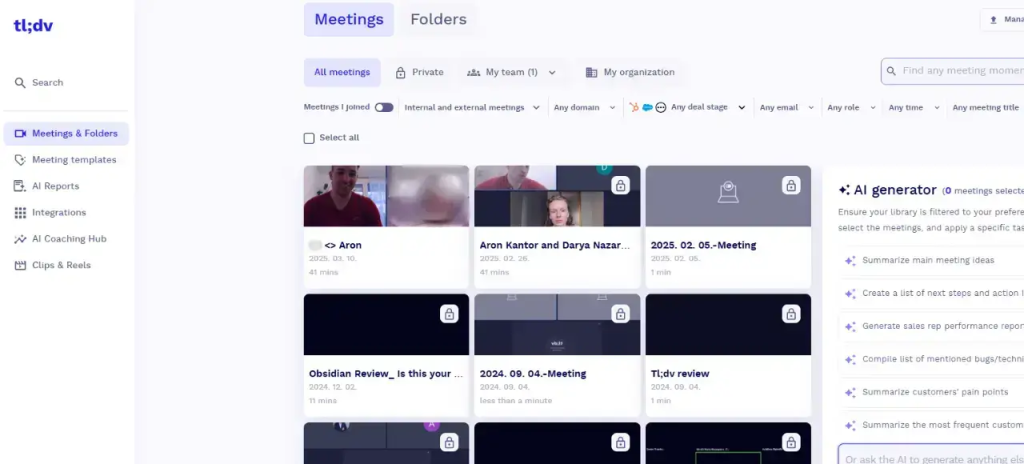
tl;dv is an AI meeting recorder for Google Meet, Microsoft Teams, and Zoom that captures calls, transcribes in real time, and produces clear post-call summaries. Workshop facilitators use it to record group discussions, surface themes, and pinpoint areas to explore next, turning raw conversations into data they can act on. In Google Meet, a tl;dv bot joins automatically and delivers AI-generated summaries after the call so everyone leaves with the same understanding and next steps.
Why choose tl;dv over Otter.ai:
- Highlight-driven reviews
Timestamped highlights make it easy to jump to the exact moment that matters and share context fast. - Built for workshops and group analysis
Helps identify key themes and insights from multi-speaker sessions so you can tailor future workshops. - Real-time capture across major platforms
Works with Google Meet, Microsoft Teams, and Zoom for both live recordings and uploaded audio. - Broad language coverage
Supports 30+ languages, useful for global teams and external sessions. - Bot-joined summaries in Google Meet
The bot seamlessly joins and generates post-call summaries so action items are clear without manual cleanup.
7. Fellow
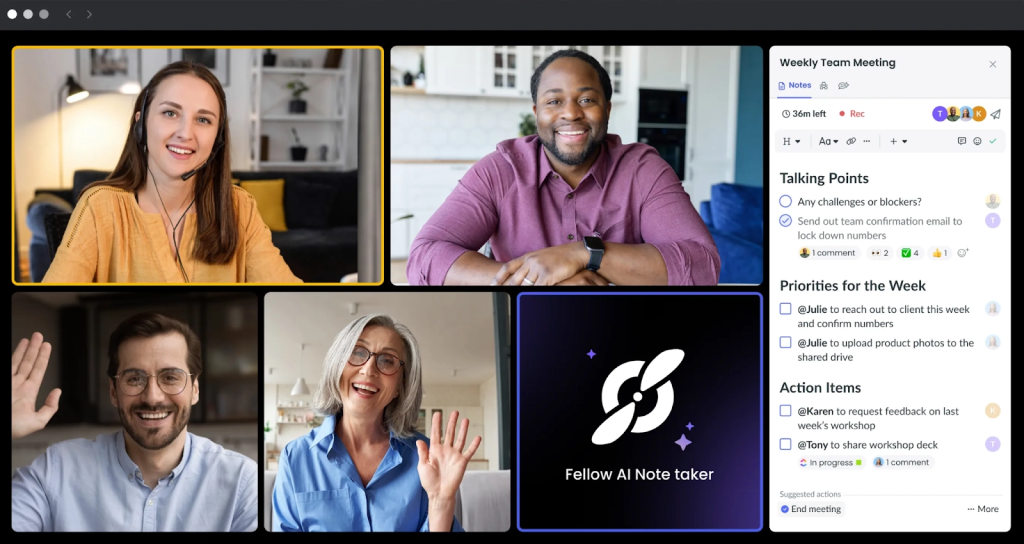
Fellow is a meeting management and note-taking platform built to run better internal meetings. It helps teams create collaborative agendas, take shared notes, and track action items so accountability sticks after the call. It’s ideal for team leads, managers, and cross-functional groups that care about structure and follow-through.
Why choose Fellow over Otter.ai:
- Agenda-first meetings, not transcript-first
Collaborative agendas, shared templates, and action item tracking make recurring 1:1s, team meetings, and project standups more organized. - Strong accountability loop
Assign owners and due dates in-line with the notes so follow-ups don’t get lost in a transcript archive. - Purpose-built for managers and cross-functional teams
Keeps internal rituals consistent (weekly syncs, retros, QBR preps) with reusable templates and shared context. - Lightweight AI transcription when needed
Capture key points with AI notes and limited recording minutes on premium plans. - Cleaner handoffs inside the doc
Notes, decisions, and tasks live together, so you leave a meeting with a clear plan instead of a raw transcript.
Summary: Choosing the Best Otter AI Alternatives
Pick a tool that turns meetings into momentum. If you run sales, CS, or professional services and need client-ready recaps plus automated follow-through, start with FuseBase. If you only need affordable transcription with clips, Fireflies AI and Fathom are strong. For coaching and pipeline insights, Avoma and Gong lead.
What to prioritize:
- Accuracy and diarization in real conditions
- Real-time capture with screen context
- AI summaries that surface decisions, owners, and due dates
- Workflow push to CRM, PM, and Slack
- Privacy, consent, and data ownership you can defend to security.